![login-logo.png]](https://helpcenter.casafari.com/hs-fs/hubfs/login-logo.png?height=23&name=login-logo.png)
Smartlink: What is it?
Smartlink is a tool that allows you to show properties of your portfolio with characteristics that meet client's needs, in a mini-site format.
Smartlink is automatically translated and sent in the customer's language.
Check properties the customer accessed and number of clicks.
Configuration
Share Smartlinks from Leads or Contacts.
-
Leads
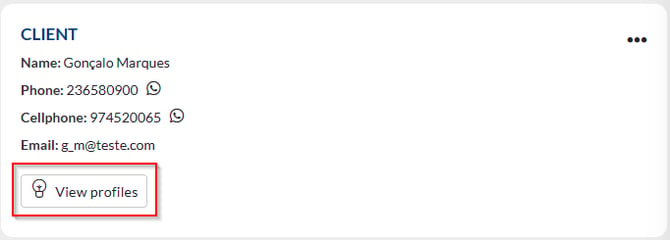
1. Access the lead detail in the Client area and click on View profiles:
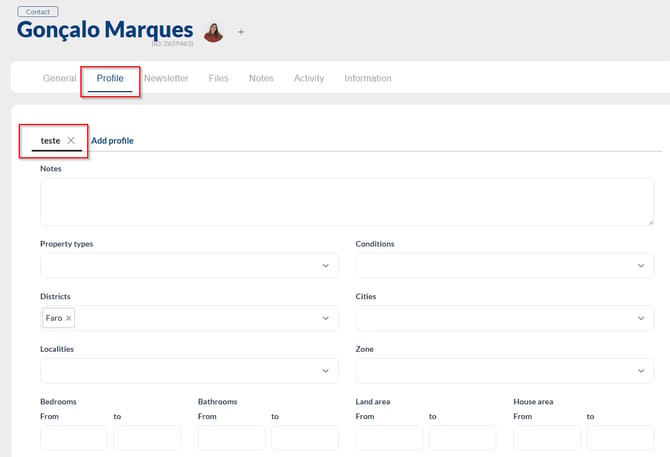
2. In the customer profile, set the characteristics of the property that customer is looking for.
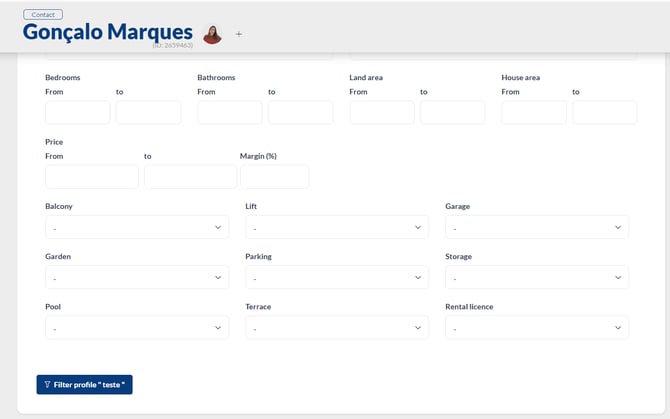
3. Click on Filter Profile.
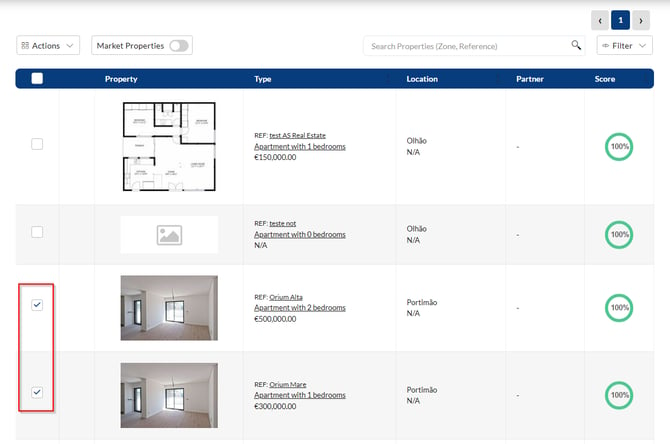
4. If you only want to select properties from your own portfolio, select the Properties you want to share on the Smartlink:
5. If you want to include market properties, select Market Properties* and choose the listing source(s) you want to include in the Smartlink:
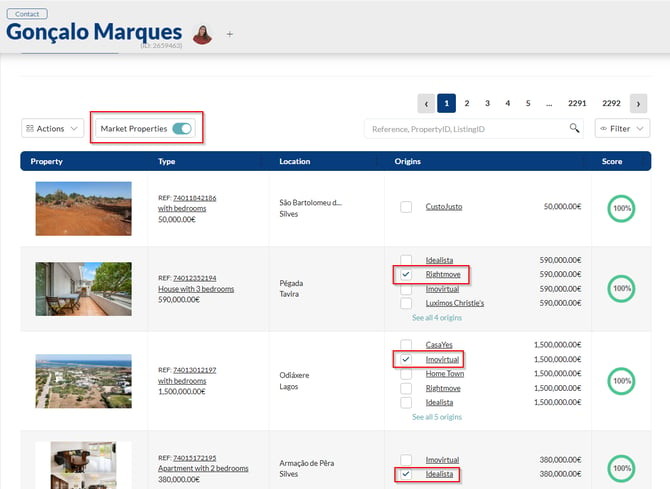
*All selected market properties will be displayed in a SmartView with the property information available from the selected source. The SmartView will also indicate the agency or real estate portal from which each property was obtained.
6. Click on Generate Smartlink, copy the link and/or send to email*/Whatsapp:

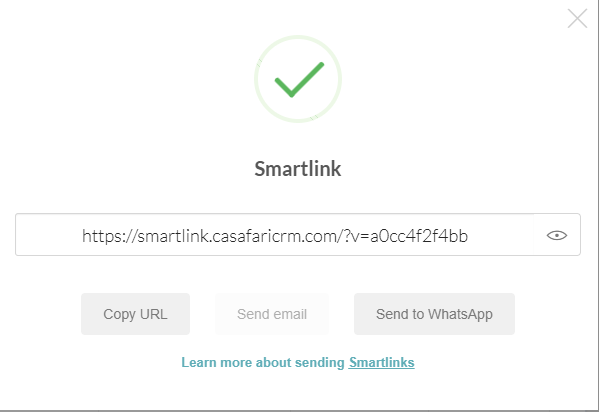
*Know more about sharing Smartlinks via email in the article of Smartmail and Smartreply.
Notes:
The parameters defined here will be reflected in the results when filtering the profile; however, there is a particularity in the Price field.
If a price margin percentage is not entered, the CRM applies 30% by default.
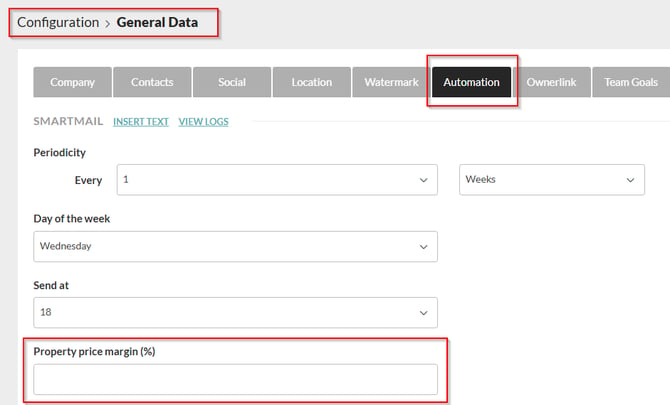
What the CRM does when filtering the profile (speaking only of the price fields within the profile) is the following:
If, for example, the following price range is defined in the profile:
Minimum Price – 160,000
Maximum Price – 220,000
If no value is defined as the property price margin, the results in the property list, in terms of price, will be as follows:
160,000 - 30% = 112,000
220,000 + 30% = 286,000
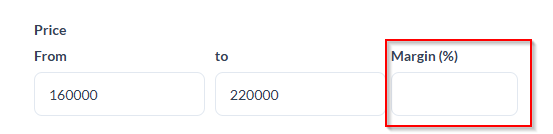
Therefore, based on this (properties 30% below the client's budget and properties 30% above the client's budget), the property list will show all properties that are within the range. between 112,000 and 286,000.
However, if, beyond this price range, you set a 15% limit:
160,000 - 15% = 136,000
220,000 + 15% = 253,000
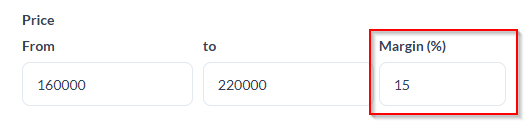
In the property list, you will see all properties between 136,000 and 253,000.
-
Contacts
1. Access the buyer's detail in the Contacts area and click on the Profile tab.
2. Fill in the characteristics of the property that the client is looking for.
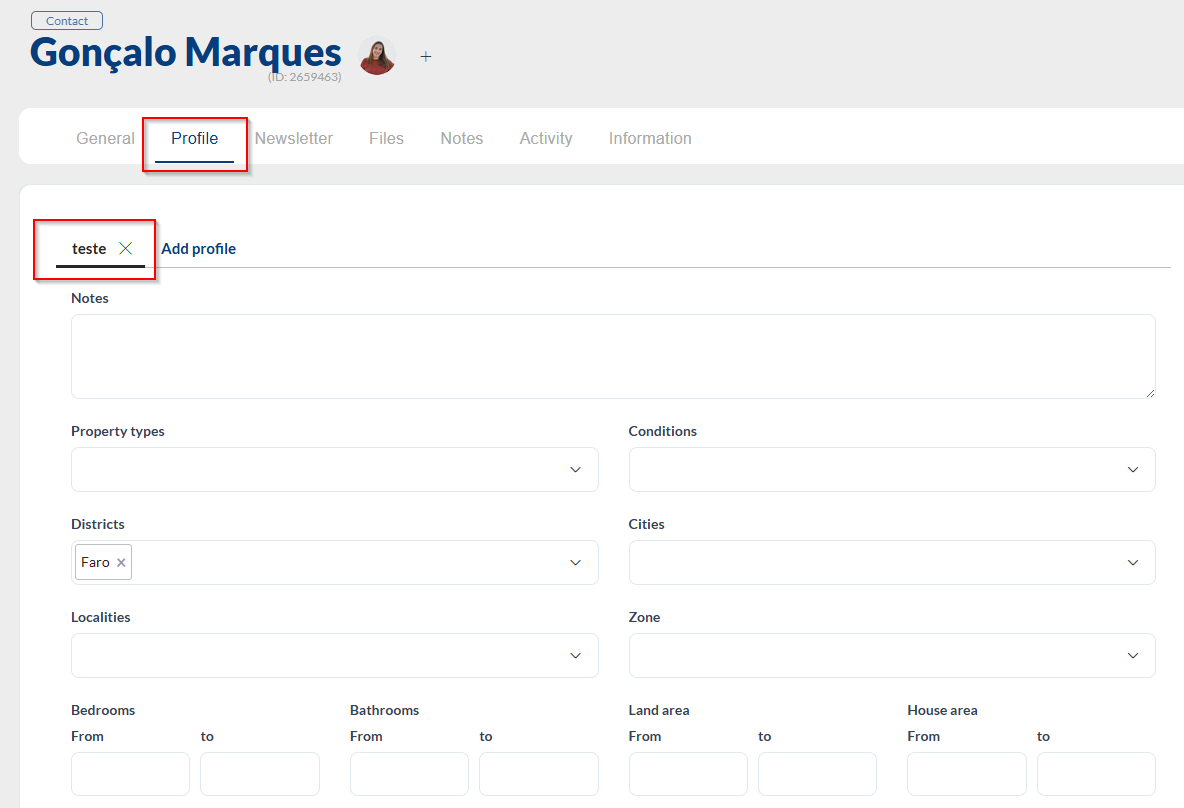
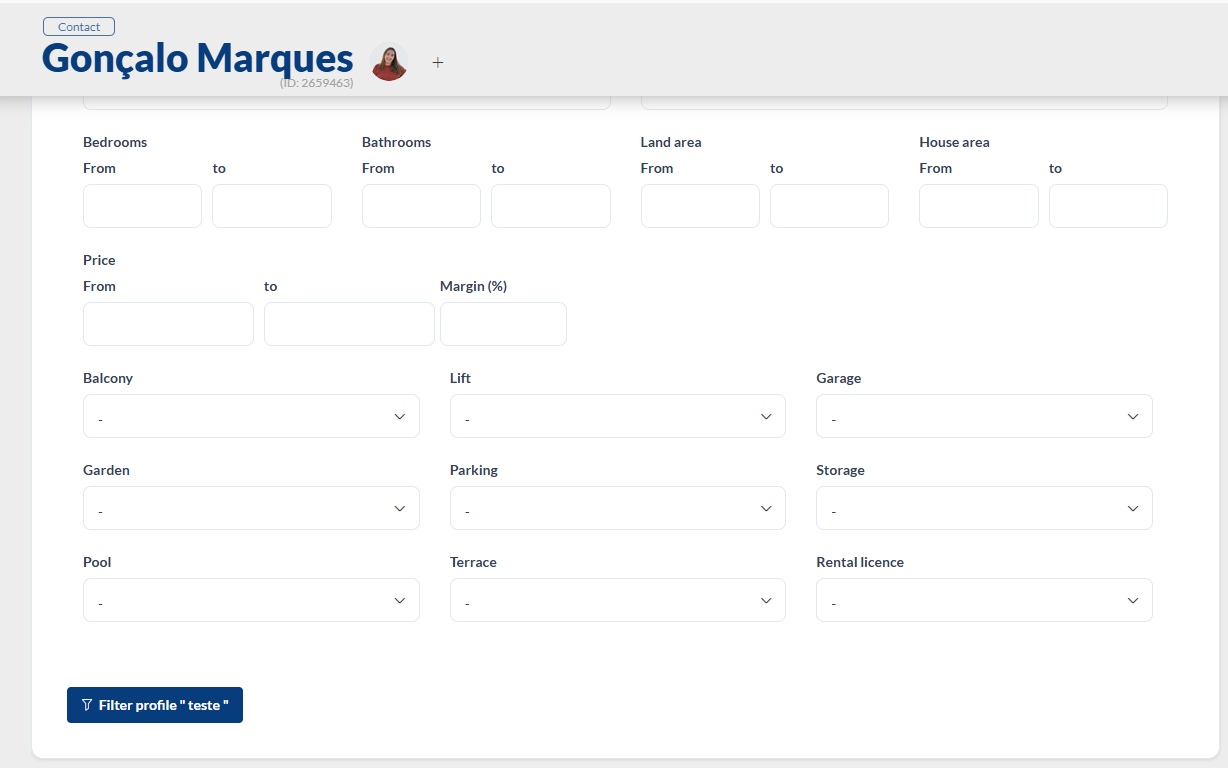
3. Click Filter Profile.
4. If you only want to select properties from your own portfolio, select the Properties you want to share on the Smartlink:
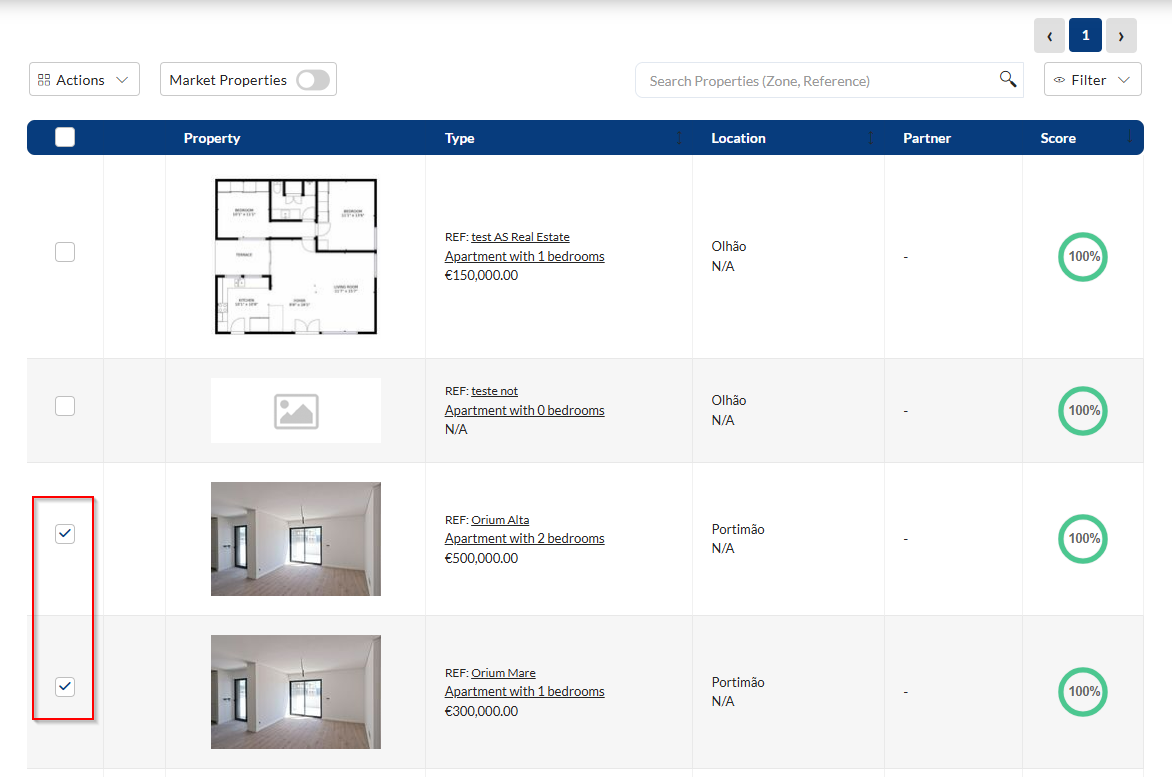
5. If you want to include market properties, select Market Properties* and choose the listing source(s) you want to include in the Smartlink:
*All selected market properties will be displayed in a SmartView with the property information available from the selected source. The SmartView will also indicate the agency or real estate portal from which each property was obtained.
6. Click on Generate Smartlink, copy the link and/or send to email*/Whatsapp:
*Know more about sharing Smartlinks via email in the article of Smartmail and Smartreply.
Notes:
The parameters defined here will be reflected in the results when filtering the profile; however, there is a particularity in the Price field.
If a price margin percentage is not entered, the CRM applies 30% by default.
What the CRM does when filtering the profile (speaking only of the price fields within the profile) is the following:
If, for example, the following price range is defined in the profile:
Minimum Price – 160,000
Maximum Price – 220,000
If no value is defined as the property price margin, the results in the property list, in terms of price, will be as follows:
160,000 - 30% = 112,000
220,000 + 30% = 286,000
Therefore, based on this (properties 30% below the client's budget and properties 30% above the client's budget), the property list will show all properties that are within the range. between 112,000 and 286,000.
However, if, beyond this price range, you set a 15% limit:
160,000 - 15% = 136,000
220,000 + 15% = 253,000
In the property list, you will see all properties between 136,000 and 253,000.
Statistics
1. Enter the Contact's profile.
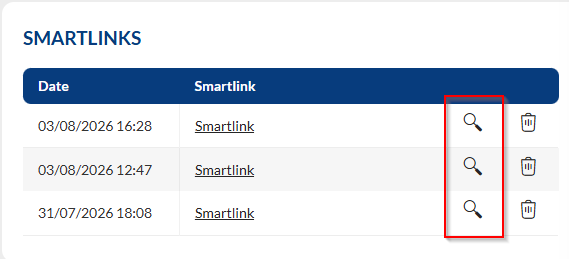
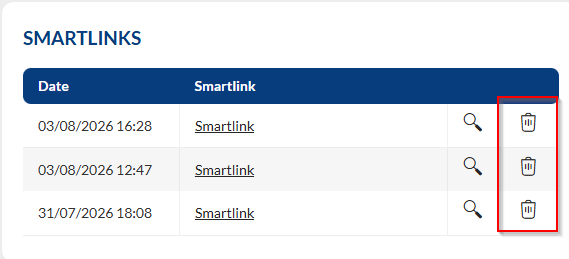
2. Access the Smartlinks panel and click on the symbol highligted.
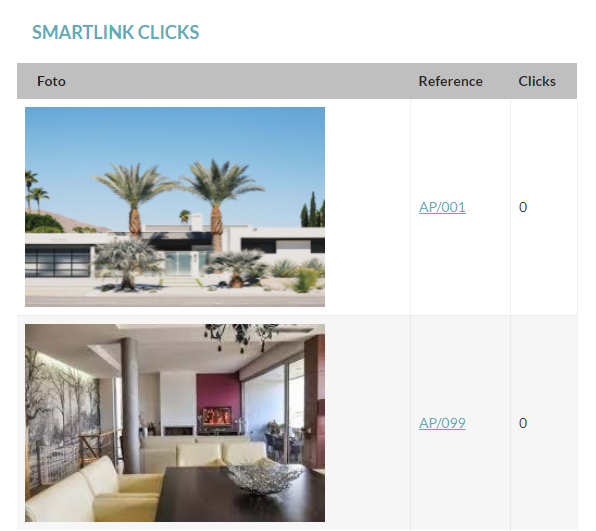
3. See the properties that the customer consulted, number of clicks on each one, date and time.
4. Can remove Smartlinks from contact.
Notes:
*The option “Market Properties”, will only appear available for agencies that already have their CASAFARI account connected to CRM. Learn more about this here.
This feature is available for PLUS and PREMIUM Plans.
For more information, please contact us by email: help@casafaricrm.com