![login-logo.png]](https://helpcenter.casafari.com/hs-fs/hubfs/login-logo.png?height=23&name=login-logo.png)
Learn the productivity of each sales channel through origins. See here how to create them.
Add Origins:
1. Go to Contacts - Origins.
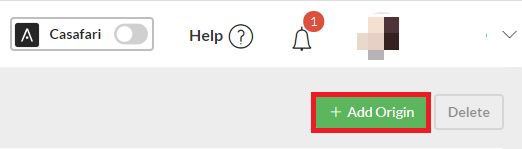
2. Click the “Add Origin” button.
3. Define the name and acquisition cost, select the type, upload a document, and associate it with the desired funnels:
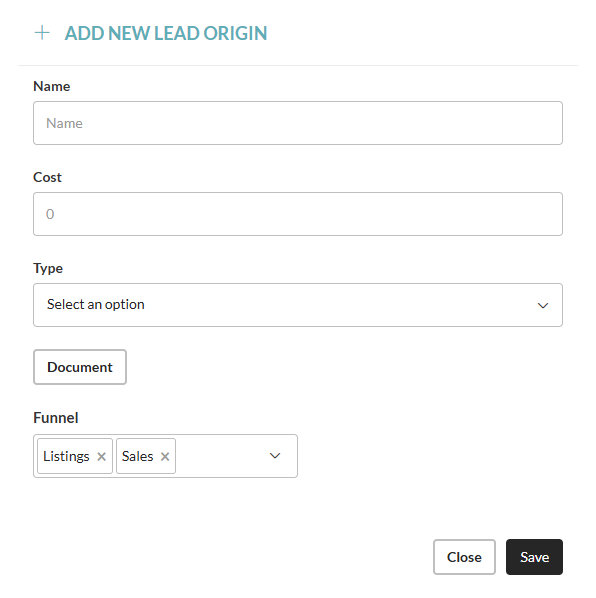
4. Click Save.
How to use:
The sources can be managed through the leads.
1. Go to Leads/Business - Sales or List.
2. Select the lead and access the details.
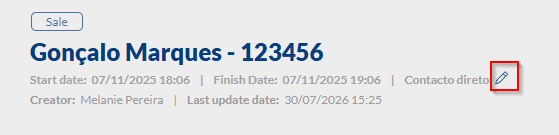
3. On the lead title, find the channel that originated the lead.
4. Click the button to edit the lead’s title, date, and origin:
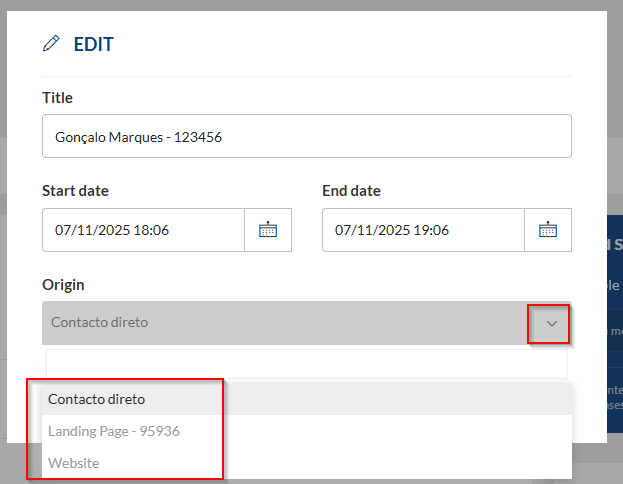
5. Click Save.
This feature is available for all CASAFARI CRM users.
For more information, please contact us by email: help@casafaricrm.com