![login-logo.png]](https://helpcenter.casafari.com/hs-fs/hubfs/login-logo.png?height=23&name=login-logo.png)
The Short-Term / Holiday Rental business model is intended for managing properties used for tourism or holiday purposes. In CASAFARI CRM, this model allows properties, contacts, and leads to be organized in a structured way, clearly distinguishing this type of rental within real estate management.
Create a new property
The first step is to create a property in the CRM or change the business type of an existing property to “Holiday / short term rentals”.
For more information on how to create properties, please refer to the following article.
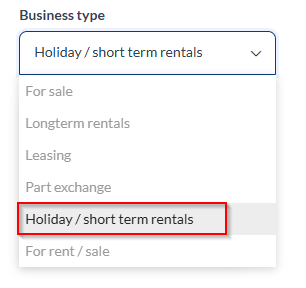
Fill in the general property details
Enter the property type, number of bedrooms and bathrooms, descriptions, location, photos, and any other relevant features, then save the property.
Manage rentals
Once the property has been fully configured, you can proceed with rental management. To do so, go to View > Rentals:
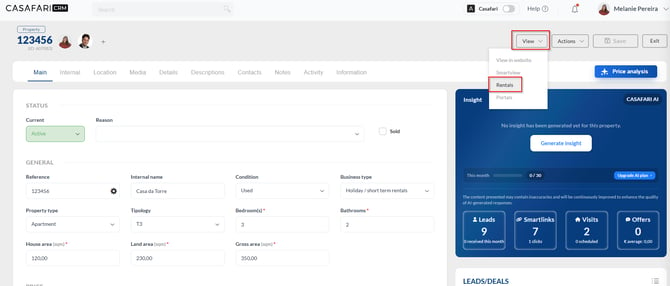
On this page, you will find the rental calendar, where you can indicate the dates when the property will be occupied and define different price ranges for specific periods.
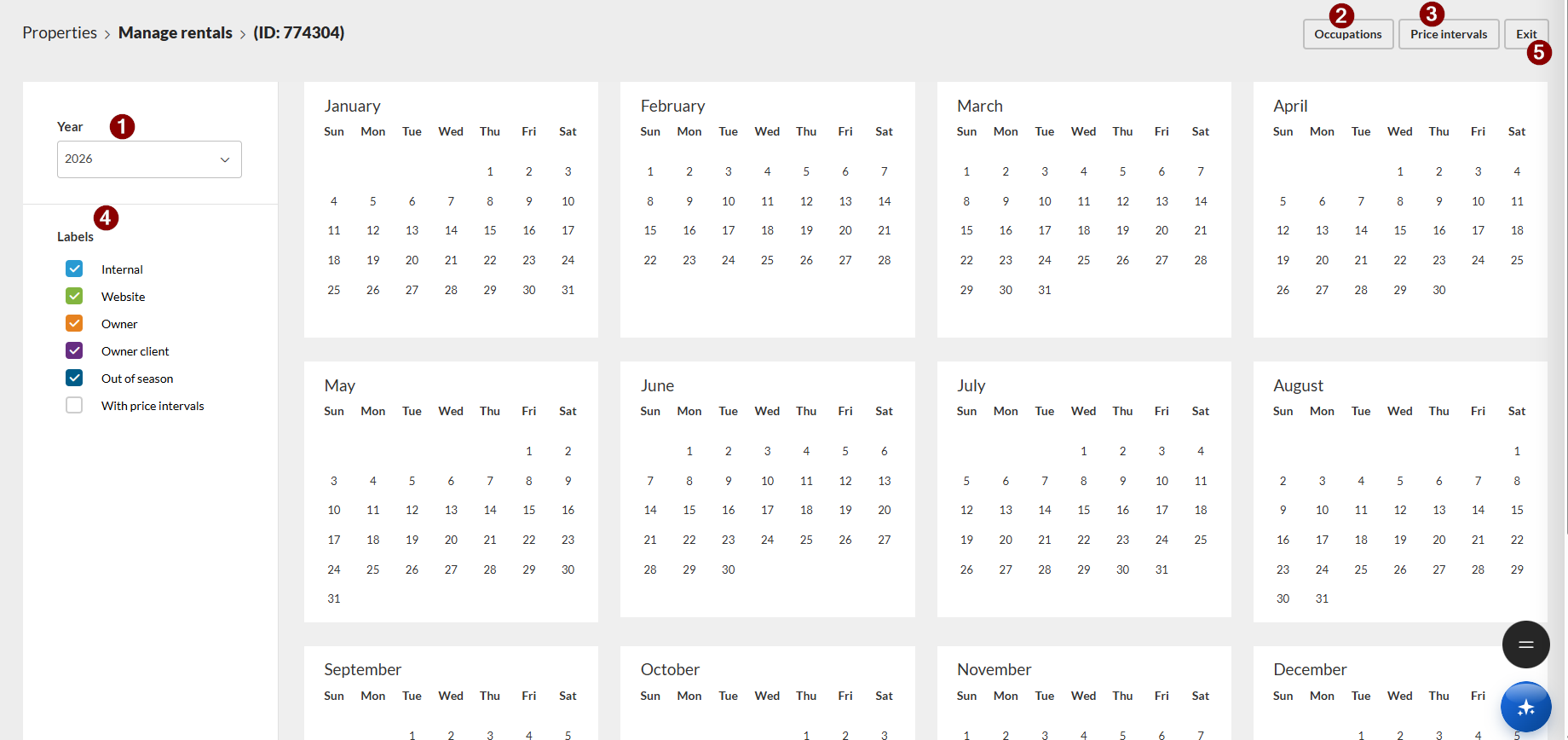
1. Year – Select the year you want to view in the calendar.
2. Occupations – Click “Add New” to add an occupation:
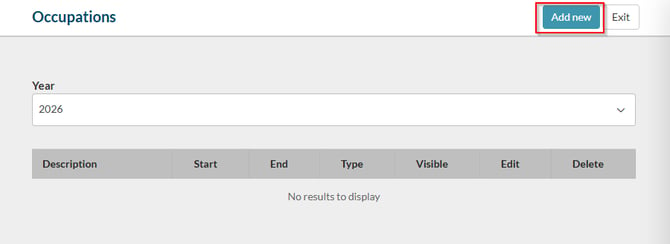
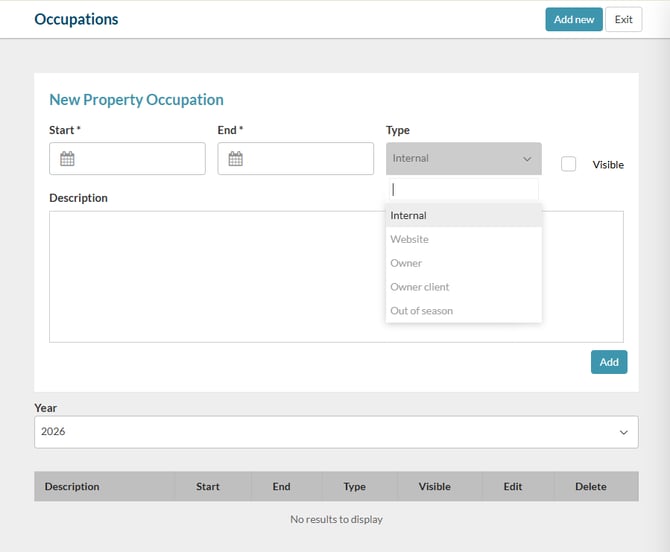
Enter the start and end dates of the occupation, the occuption type, the description, and whether you want it to be visible on the website. Click “Add”.
Once saved, it will appear on the calendar with the corresponding color for the selected occupancy type:
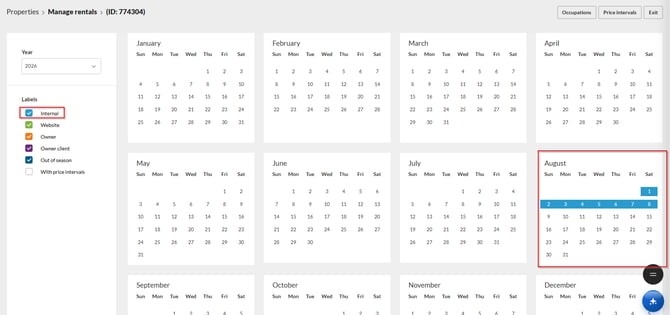
3. Price intervals – If you want to set different prices for different dates, define them here.
Click “Add New”:
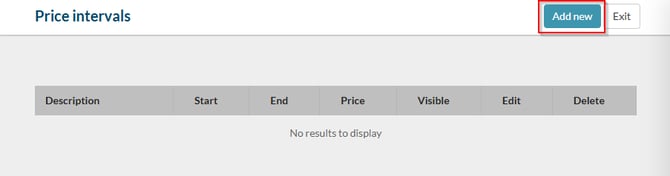
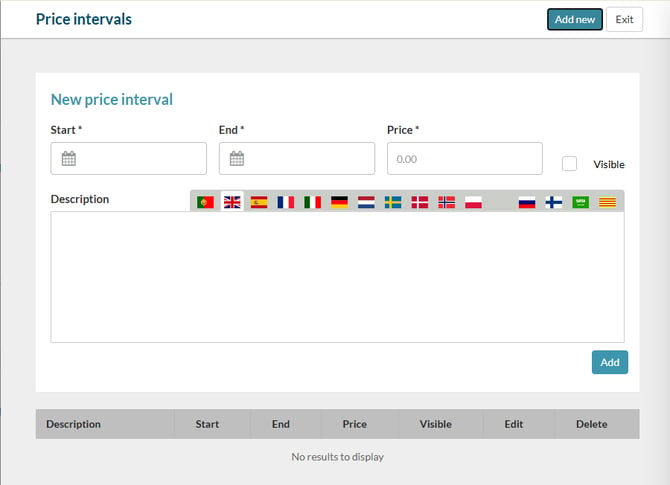
Enter the start and end dates of the price interval, the price, the description, and whether you want it to be visible on the website. Click “Add”.
4. Labels – Filter by labels according to the occupancy type, which are distinguished by color.
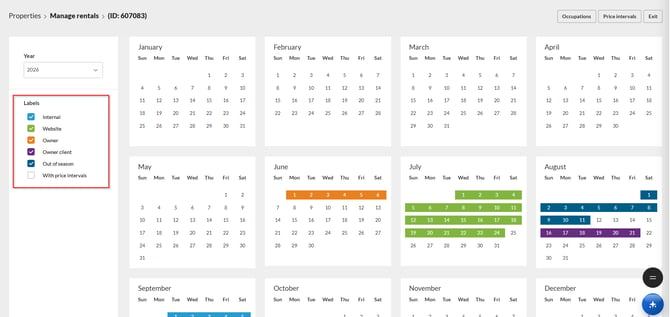
5. Exit – Return to the property page.
Website visibility
All occupancy information and price ranges that you have marked as Visible will be displayed on the property page on the website:
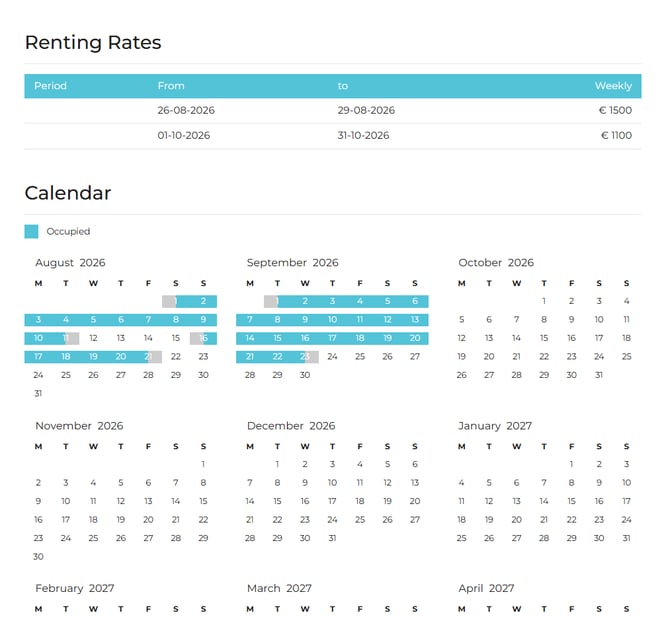
This feature is available to users with PLUS and PREMIUM plans.
For more information, please contact us by email: help@casafaricrm.com