![login-logo.png]](https://helpcenter.casafari.com/hs-fs/hubfs/login-logo.png?height=23&name=login-logo.png)
Optimize your schedule management and get notified in real time of all changes to events.
Settings
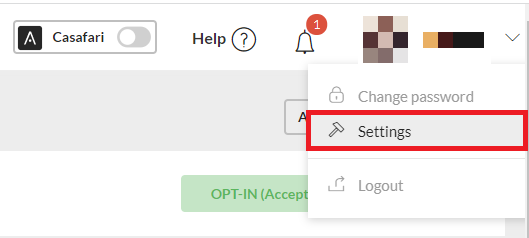
1. In the upper right corner, go to “Settings”.
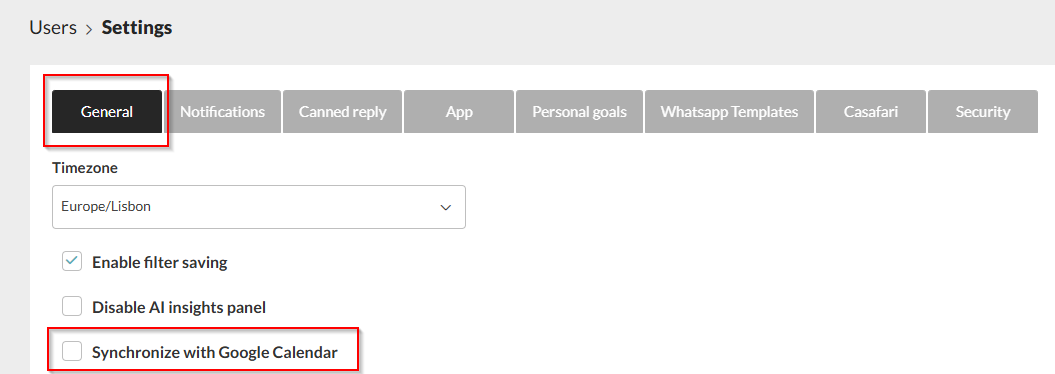
2. Select the option “Synchronize with Google Calendar”.
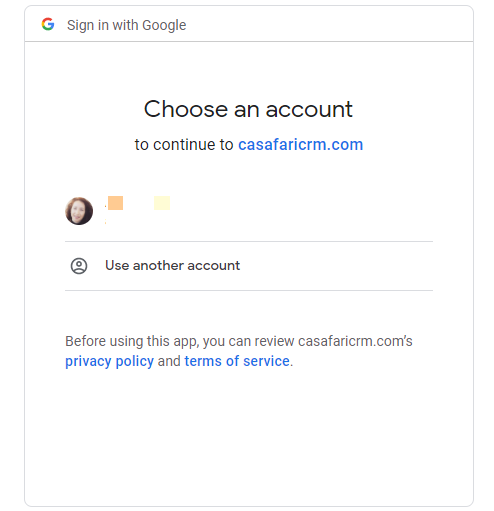
3. Choose Google Account.
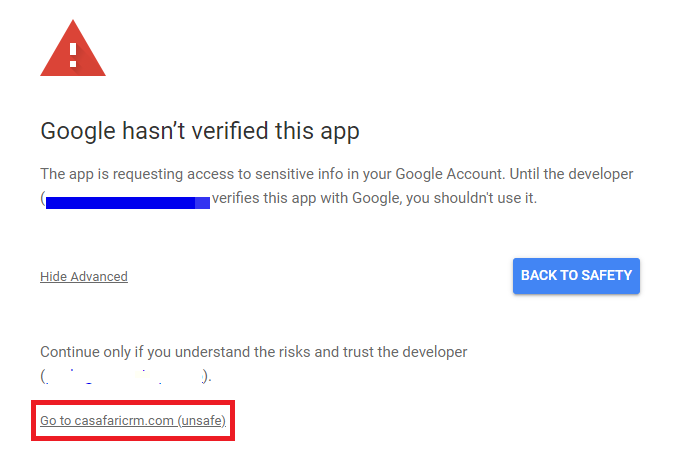
4. Click on the “Advanced” option.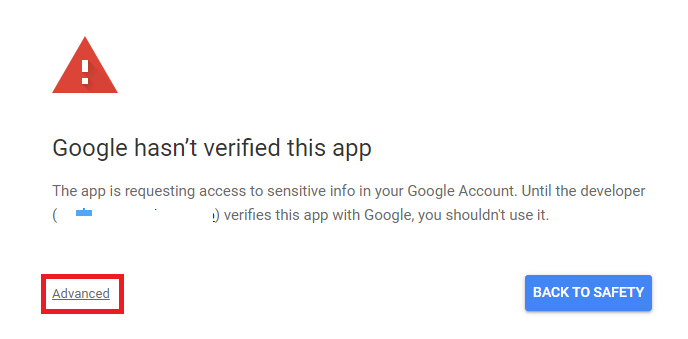
5. Then confirm the option below.
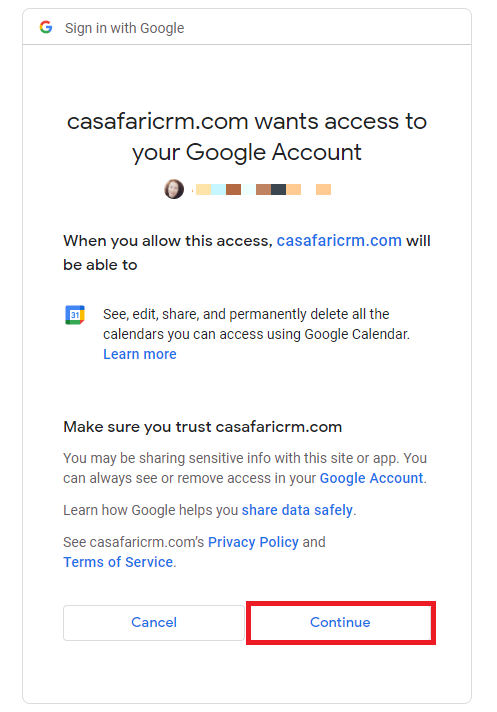
6. Click on the “Continue” option to finish the configuration.
Note: The synchronization with Google Calendar is not bidirectional, which means it only works in one direction: information from the CRM is sent to the calendar, but information added or modified directly in Google Calendar is not synchronized back to the CRM.
This feature is available for all CASAFARI CRM users.
For more information, please contact us by email: help@casafaricrm.com