
🔐 Step 1: Log in to Your CASAFARI Account
- Go to www.casafari.com.
- Click Log in and enter your credentials.
🏠 Step 2: Open the Property Page
- Use Property Sourcing to find the property you're interested in.
- Click on the listing to open the property details page.
📊 Step 3: Locate the Property on the Graph
1. Scroll down to the Graphics section of the property page.
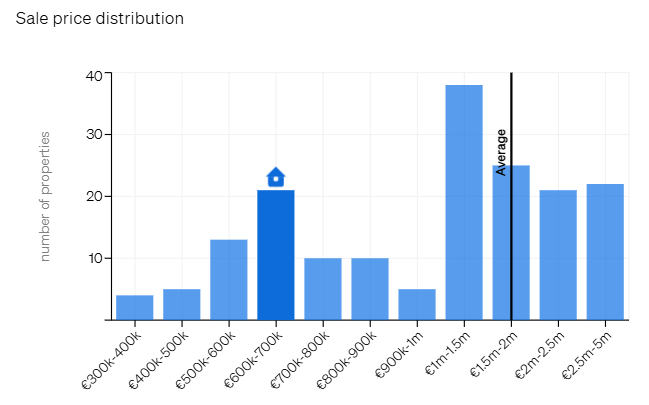
2. On the bar or dot graphs, the specific property you are viewing is clearly marked by:
- A house symbol on bar charts
- A red dot on scatter plots
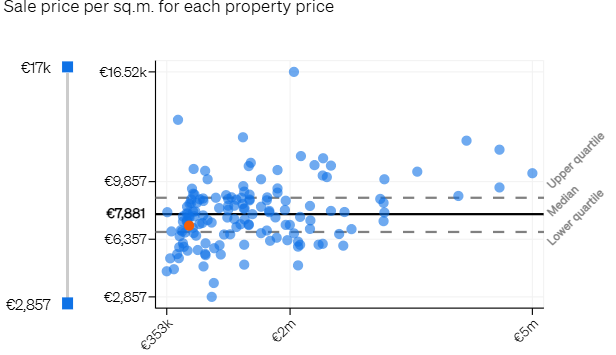
This allows you to quickly identify how the property compares to other listings in terms of price, size, or other relevant metrics.
💡 Tip:
Use this visual cue to show clients where a property stands relative to market trends—whether it’s above, below, or in line with similar listings.
📩 Need Help?
For any questions about interpreting the graph or understanding your property's market position, contact us at: support@casafari.com