
It functions as a social network for real estate professionals, allowing you to connect, collaborate, and share commission-based opportunities with others in the industry.
📲 How to Access CASAFARI Connect
- Log into CASAFARI:
Sign in to your CASAFARI profile using your credentials. - Open CASAFARI Connect:
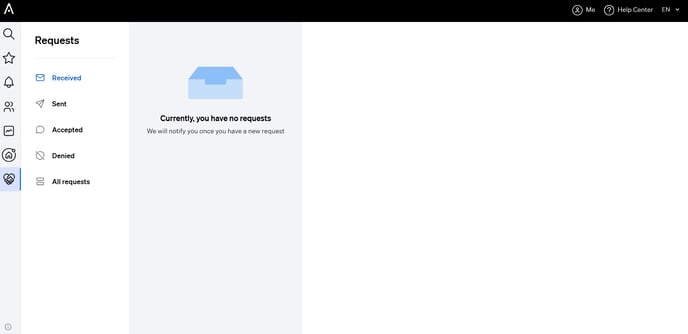
From any tool within the platform, go to the left-hand side menu and click on CASAFARI Connect (represented by a heart-shaped logo formed by two hands). - Access Your Inbox inside CASAFARI:
This will open your Connect mailbox, where you can manage:
- Received requests
-
- Sent requests
-
- Accepted and declined offers
-
- Conversations with other professionals
⚙️ Set Your Commission Preferences
To configure your commission terms:
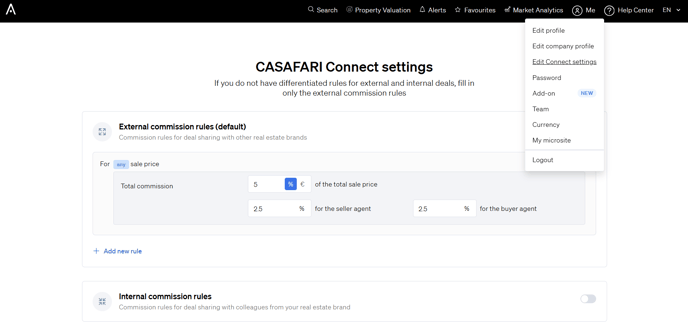
- Click on the "Me" icon (top right corner)
- Select Connect Settings to define your preferred commission information
🔍 Find Other Professionals Using Connect
To discover properties shared by other users with CASAFARI Connect enabled:
- Go to Property Sourcing
- Under the Private/Agency filter section, select CASAFARI Connect
This allows you to collaborate with professionals who are also open to commission-based partnerships.