
This allows you to quickly share relevant listings with clients in a professional and trackable format—without needing to save them to a favourites folder.
📍 What is a Smartlink?
A Smartlink is a customizable and shareable URL that contains selected listings. It’s a great way to present property options without requiring the recipient to have a CASAFARI account.
🛠️ How to Create a Smartlink from Property Sourcing
- Go to Property Sourcing.
- Apply your filters (e.g. location, property type, price, etc.).
- Use the checkboxes next to each listing to select the properties you want to include.
- Once you’ve selected your properties, click on the Export & Share button (appears at the top of the property list).
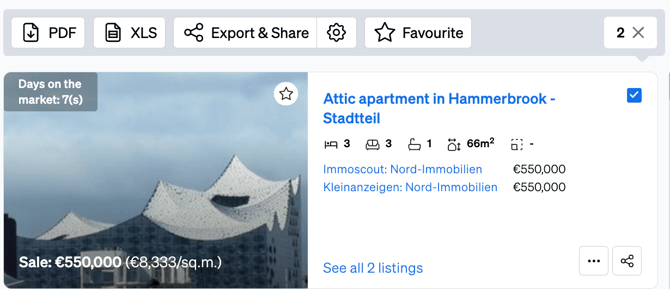
- Click Share Smartlink, on the top right corner of the page.
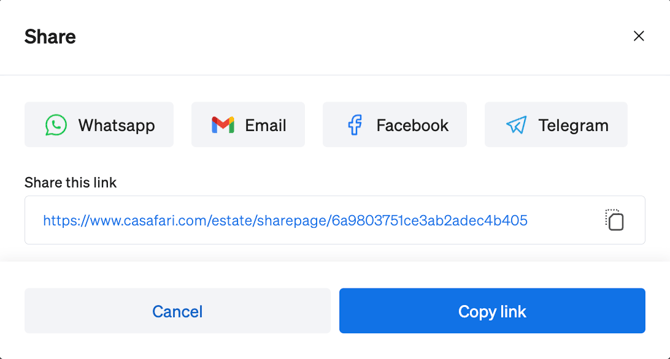
- Copy the link and share it via email, WhatsApp, or any other platform.
✅ Why Use Smartlinks from Property Sourcing?
- Quickly generate personalized property lists.
- No need to use or organize Favourites folders.
- Share with clients instantly
- Track engagement (views, interactions, etc.).
💡 Tips
- You can create multiple Smartlinks from the same set of results.
- Use Smartlinks to highlight time-sensitive opportunities or to respond quickly to client inquiries.
- Edit the Smartlink content later if needed—your link will remain active and up to date.
For additional help, contact us at support@casafari.com or use the Help Center button inside your CASAFARI dashboard.