
This personal branding feature allows you to add links to social media profiles, messengers, websites, and even generate a QR code — all displayed near your contact details on SmartLinks.
🧭 How to Access the SmartLink Info Settings
- Log in to your CASAFARI account.
- Click on the "Me" menu (top right corner of your screen).
- Navigate to the "Edit Profile" tab.
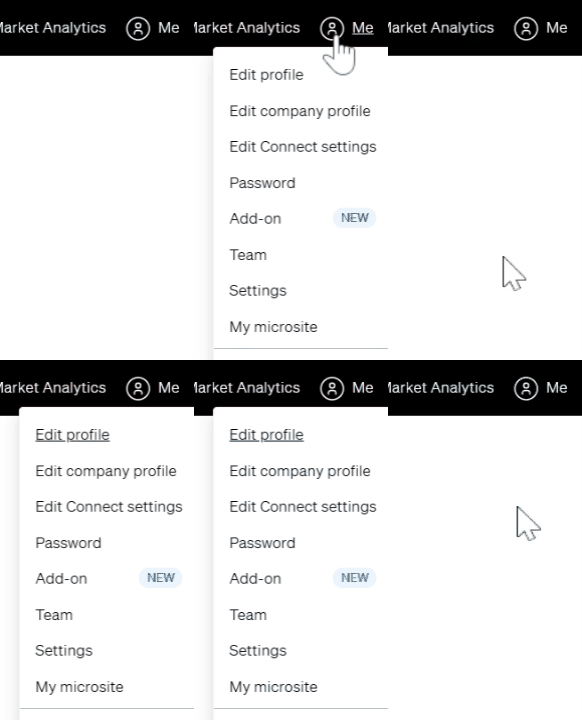
- Scroll down to the “SmartLink contact information” section.ç

✍️ What You Can Customize
In this section, you can add or edit:
- Short introduction
Brief professional title or description (e.g., “Team Lead Customer Success”) - Email address
Automatically filled in from your user account. - WhatsApp link
Format: https://wa.me/YourNumber or https://wa.me/NameSurname - Facebook link
Format: https://facebook.com/yourprofile - Telegram link
Format: https://t.me/YourUsername - Instagram link
Format: https://instagram.com/your_profile_name - Website link
Add your personal or company profile page, e.g., from CASAFARI or a custom URL.
🎯 Where This Information Appears
The details you add here will appear:
- On SmartLinks you share with clients
- Next to your photo and name for easy contact
- Embedded within the property cards or folders shared via SmartLinks
🆘 Need Help?
If you're unsure how to format your links or need support:
📧 support@casafari.com🛠️ Or go to Help Center > Contact Us in the platform.