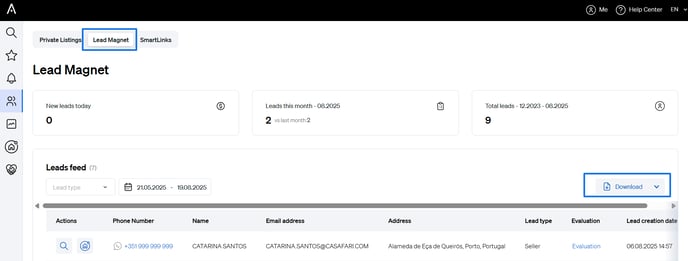
Here's how to find and use it:
Log into CASAFARI
Start by accessing your CASAFARI account using your login credentials.
Open the Leadflow Dashboard
Once logged in:
- Navigate to the Leadflow Dashboard tool from your main menu or dashboard.
- Within Leadflow, select the Lead Magnet option.
Explore Lead Data
Inside the Lead Magnet dashboard, you’ll be able to:
- Review new leads generated by your magnet.
- View your lead history and monitor changes over time.
- Track lead volume for a selected time period.
Export Your Data
For further analysis:
- Use the date filter to select a custom time range.
- Download your data in CSV or XLS format for reporting or offline review.