
🔐 Step 1: Log in to Your CASAFARI Account
- Visit www.casafari.com.
- Click Log in and enter your credentials.
🏠 Step 2: Open the Property Page
- Use Property Sourcing to locate the property you're interested in.
- Click on the property to view the full property details page.
🕓 Step 3: Access the Property History
1. Scroll down to find the History section on the property page.
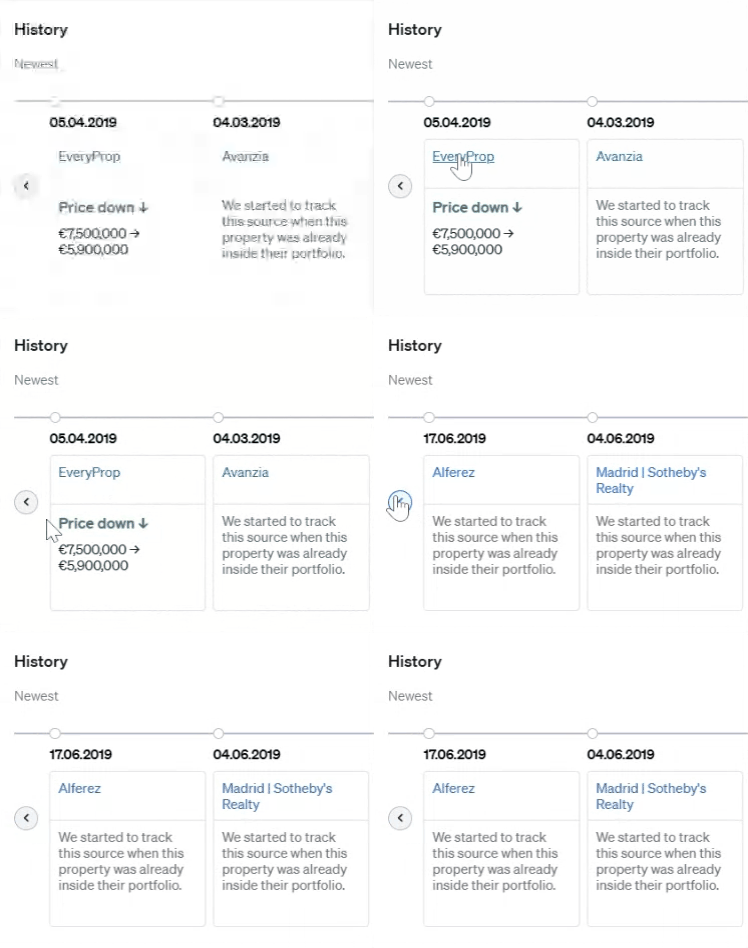
2. This section includes a chronological list of key events, such as:
- Listing creation and removal dates
- Price changes
- Listing source updates
- Modifications to property details
ℹ️ Understanding Special Messages
Sometimes you may see messages like:
"We started to track this source when this property was already inside their portfolio."
This means that CASAFARI began monitoring that particular website after the property was already listed there, so the system can't show an exact introduction date from that source.
💡 Tip:
Use Property History to understand pricing trends and marketing strategies of a listing—especially useful when advising clients or preparing valuations.
📩 Need Help?
If you have questions about interpreting the property history or using it in your workflow, contact our support team at: support@casafari.com