
- Log into CASAFARI:
Access your CASAFARI account using your login credentials. - Go to Your Profile Settings:
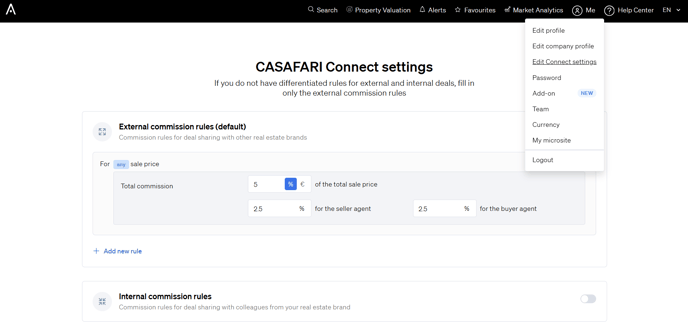
Click on the "Me" option located at the top of the menu. - Edit Connect Settings:
Select "Edit Connect Settings" from the dropdown menu.
You will be redirected to the settings page for CASAFARI Connect. - Set Your Commission Rules:
On the settings page, locate the section for commission rules.
Enter your desired commission percentage for shared deals.
5. Save Your Changes:
After setting your commission percentage, make sure to click "Save" to apply the updates.