
🔐 Step 1: Log in to Your CASAFARI Account
- Go to www.casafari.com.
- Click Log in and enter your credentials.
🏠 Step 2: Find the Properties to Compare
- Use the search tools to locate the listings you believe might be duplicates.
- Open the property pages or listings for comparison.
🔍 Step 3: Mark as Duplicate
- On the property page, use the option to Mark as Duplicate ( found above the property details next to the leave comment option).
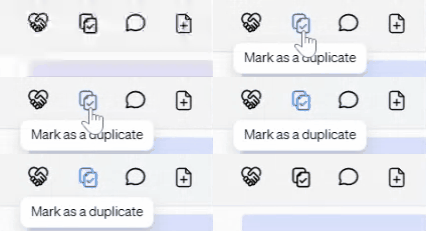
- Confirm the action to link the duplicate listings together. This helps CASAFARI’s system manage and reduce repeated information.
💡 Tip:
Regularly marking duplicates improves your search experience by focusing on unique properties and avoiding repeated listings.
📩 Need Help?
If you have questions about marking duplicates or need assistance, please contact our support team at: support@casafari.com