
🔐 Step 1: Log in to Your CASAFARI Account
- Go to www.casafari.com.
- Click Log in and enter your credentials.
🏠 Step 2: Open the Property Page
- Use Property Sourcing to find the property you want.
- Click on the listing to open the full property details page.
🤖 Step 3: Generate a Description with AI
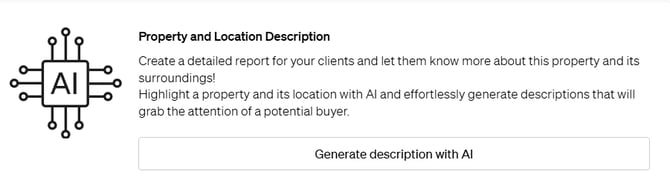
- On the property page, locate the option "Generate a description with AI"under the general information of the property and images.
- Click on this button to allow CASAFARI to automatically create a detailed property and location description based on the available data.
📝 Step 4: Review and Use the Description
- Once generated, you can review the AI-written description.
- You may copy it for use in your marketing materials, listing platforms, or SmartLinks.
- If needed, you can edit or adjust the text to match your preferred tone or highlight specific features by clicking on the editing option represented as a pencil.
💡 Tip:
Use the AI-generated description as a starting point. Customize it slightly for different audiences (e.g., investors vs. families) to enhance engagement.
📩 Need Help?
If the AI description doesn’t generate or you encounter any issues, feel free to reach out to our support team at: support@casafari.com