
📍 Step 1: Access the Property Valuation Tool
- Log into your CASAFARI account.
- Go to the Property Valuation tool.
- In the second step of the valuation process, do not generate a report or SmartLink yet.
- Instead, scroll to the bottom and select “Personalize Report.
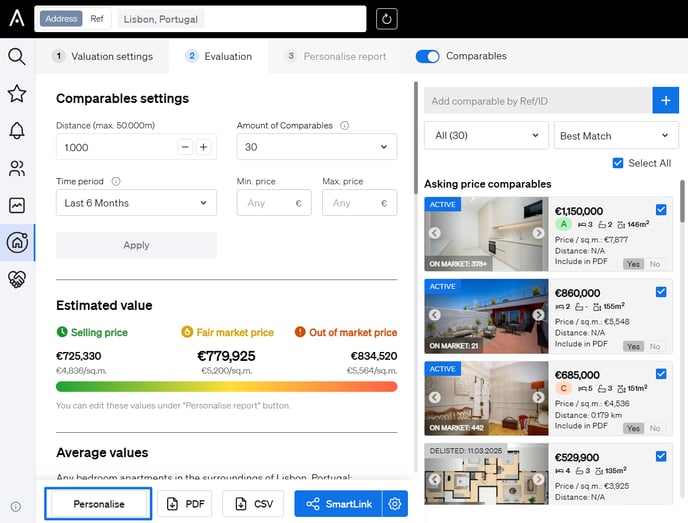
🎨 Step 2: Personalize the Report
On the Personalize Report page, you can customize:
- Report details
- Estimated value
- Property photo
- Content order
- Uploaded custom files
- Report color scheme
🧩 Customize Content and Order
To Edit Report Content:
- Each section has a bubble on the left.
- Blue = included
- Grey = excluded
Click the bubble to include or exclude it:
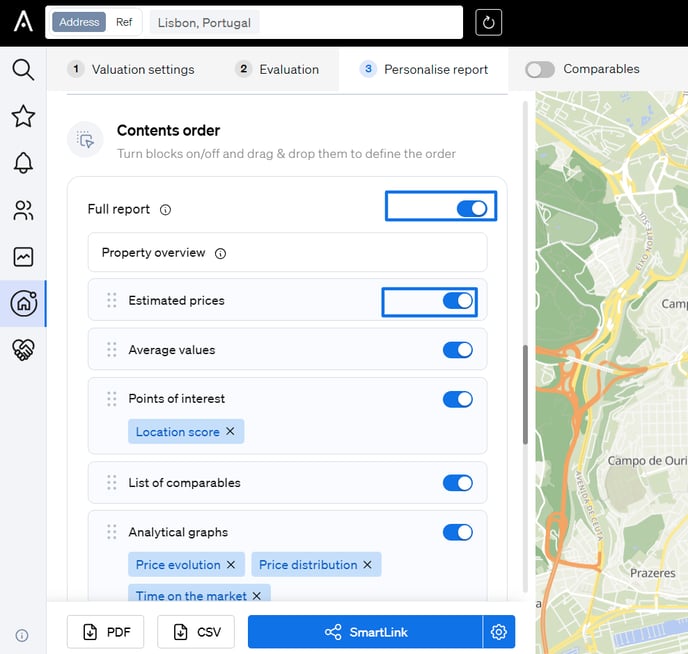
- Blue = included
🔀 To Change the Order of Sections:
- Click and hold the six-dot icon on the left side of a section.
- Drag and drop the section to rearrange it in your preferred order.