
✏️ Step 1: Access the Property Page
- Log in to your CASAFARI account at www.casafari.com.
- Find and open the property page for which you want to create or edit a SmartLink.
⚙️ Step 2: Open the SmartLink Editor
- Click the SmartLink editing button represented by a pencil on the top of the property page or click manually on each detail, content you want to add to your smartlink by clicking on the button next to each content.

🛠️ Step 3: Select the Information to Include
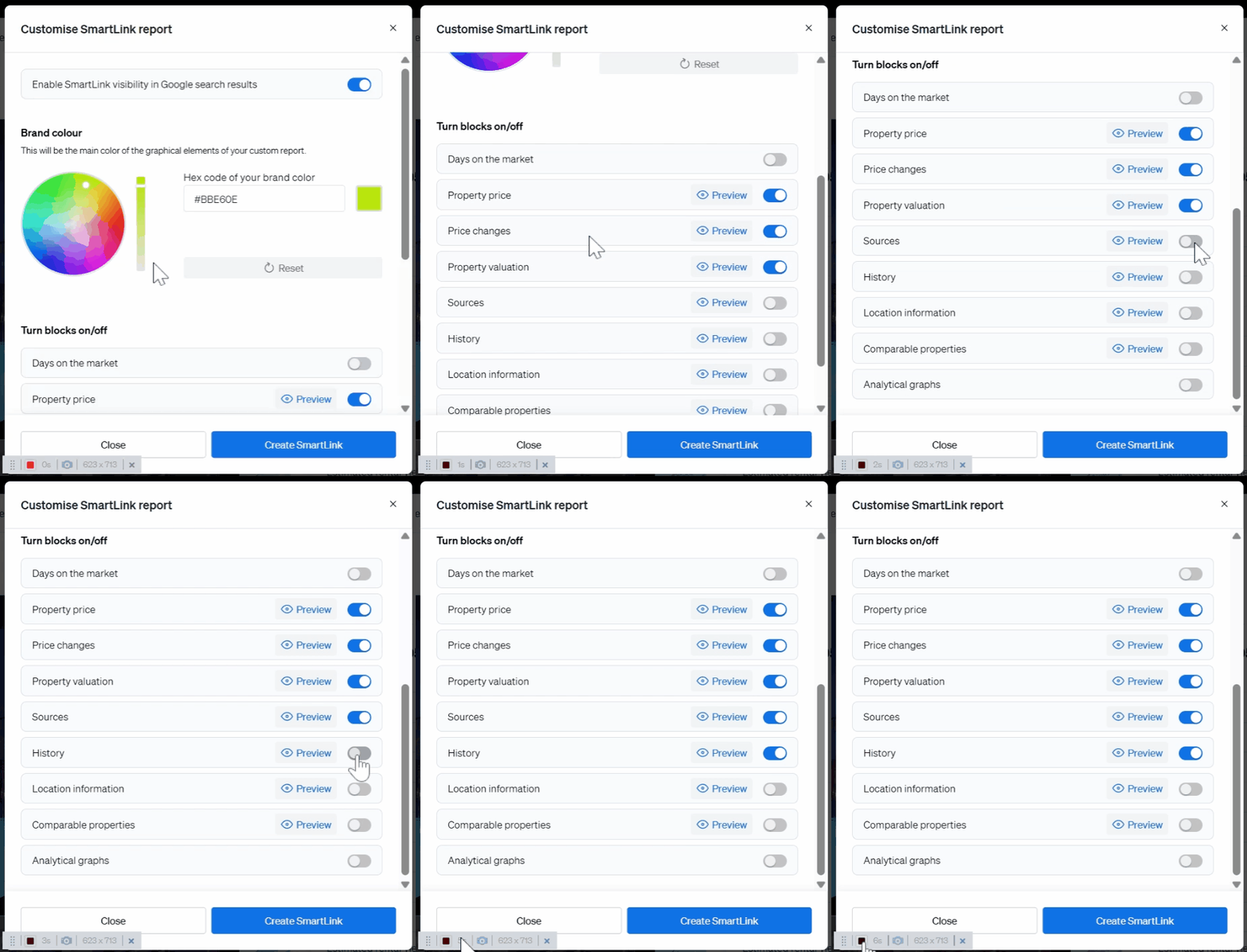
1. Choose which details to display in the SmartLink, such as:
- Timeline
- Valuation
- Comparable properties
- etc
💾 Step 4: Save Your Changes
- After customizing the SmartLink content, click Save or Apply.
- Your SmartLink will update with the selected information.
📤 Step 5: Share Your Customized SmartLink
- Share your updated SmartLink via WhatsApp, Facebook, email, or by copying the link.
- Recipients will see the tailored details you selected.
💡 Tip:
Customizing SmartLinks allows you to highlight the most relevant information for different clients or purposes, making your communication more effective.
📩 Need Help?
For assistance with editing or managing SmartLinks, contact our support team at: support@casafari.com