- Log into CASAFARI:
Access your CASAFARI account using your login credentials. - Access the Valuation Tool:
From your dashboard, navigate to the Valuations & Market Study tool and create your property valuation as usual. - Personalizing and downloading
A) If you mean to manually personalize your market study, click on “Basic (manual personalisation)”. After making the appropriate changes, click on the button to download the document as a PDF.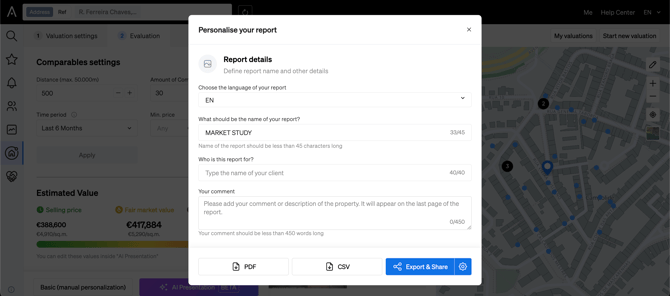
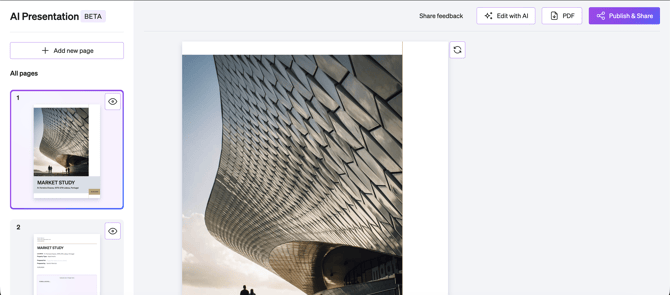
B) If you’d rather use our AI Presentation Builder to help you with building your market study, click on “AI Presentation”. Then, after making the appropriate changes, click on the button on your top right corner to download the document as a PDF.