
- Log into CASAFARI:
Access your CASAFARI account using your login credentials. - Open the Leadflow Dashboard:
From your dashboard, go to the Leadflow tool. - Access Private Listings:
Click on the "Private Listings" section to view available private seller leads. - Apply Filters:
Set the filters to narrow down the private sellers you are interested in sourcing. - Download the Data:
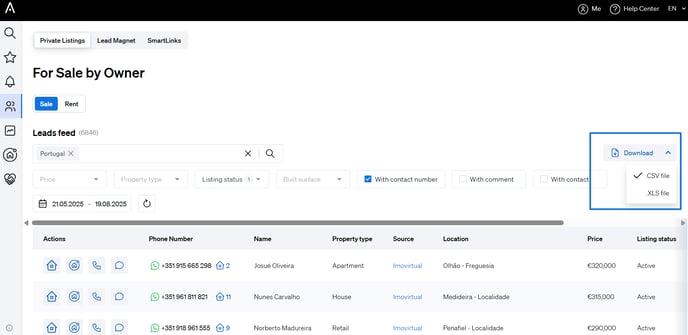
Once your filters are applied, click on the "Download" button located at the top right of the private seller list. - Choose the File Format:
Select your preferred format—CSV or XLS—for the report.
7. Confirm the Download:
Click "Download" to begin exporting the data.
📌 Note: Each download is limited to 500 leads at a time.