
🔐 Step 1: Log in to Your CASAFARI Account
- Visit www.casafari.com.
- Click Log in and enter your credentials.
🏠 Step 2: Access Your Favorite Properties
- Click the star icon in the vertical menu on the left to open your Favorites page.
- Here, you will see all your saved properties.
📁 Step 3: Create a New Folder
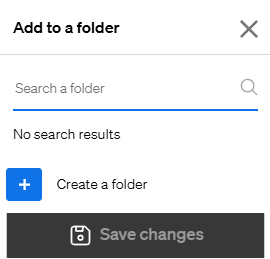
- On the Favorites page, click the option to Create New Folder.
- Name your folder according to your organization system (e.g., by client name, project, or location).
- Save the folder.
⭐ Step 4: Add Properties to the Folder
- When adding new favorite properties, select the appropriate folder to keep everything organized.
- You can also move existing favorites into the new folder for better management.
💡 Tip:
Use folders to separate properties by client, status, or any other category to streamline your workflow.
📩 Need Help?
If you need support with creating or managing folders in your Favorites, contact us at: support@casafari.com