
🔐 Step 1: Log in to Your CASAFARI Account
- Visit www.casafari.com.
- Click Log in and enter your credentials.
🔔 Step 2: Access Your Alerts
- Click on the bell icon in the vertical menu on the left side of your screen or directly on the alert tool on the main menu.
- This will take you to your Alerts page where all your saved alerts are listed.
📧 Step 3: Change the Email Notification Frequency
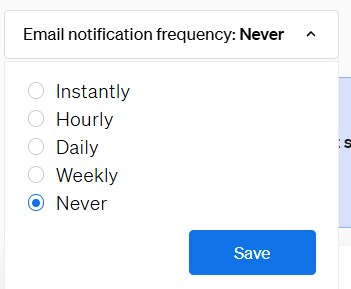
- In the top right-hand corner of the Alerts page, click on Email notification frequency.
- Choose the frequency that best suits you: immediately, daily, never, or weekly.
- Your selection will be saved automatically and applied to all your alerts.
💡 Tip:
You can change this setting at any time depending on how often you want to be notified about new listings.
📩 Need Help?
If you need further assistance managing your email alerts, contact our support team at: support@casafari.com