
🧑💼 Who Can Do This?
Any CASAFARI user can change their own display currency. This setting is personal and does not affect other users in the subscription.
🔧 How to Change Your Currency
To update your preferred currency:
- Log in to your CASAFARI account at www.casafari.com.
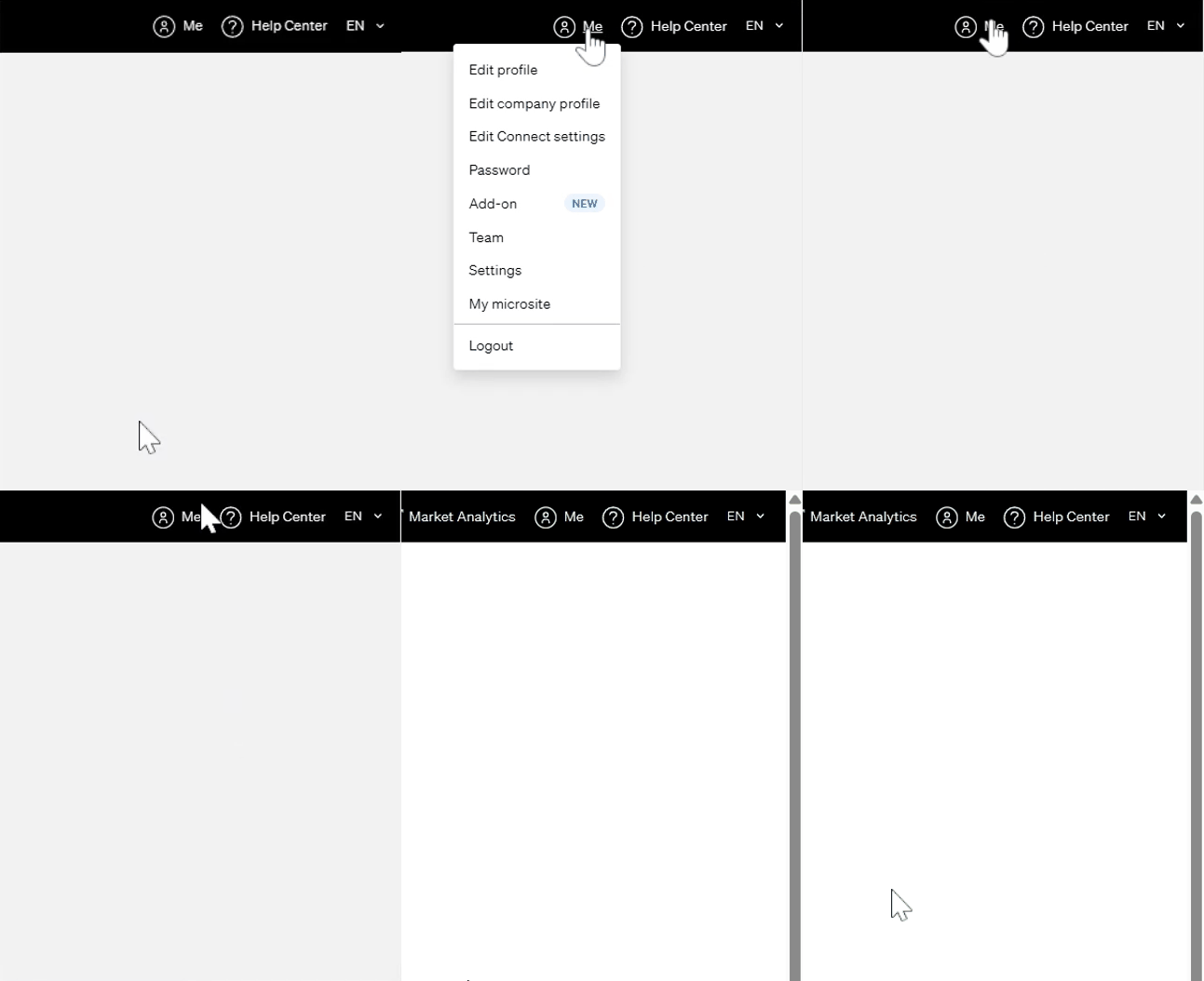
- Click your profile icon (top right corner).
- Select Settings from the dropdown.
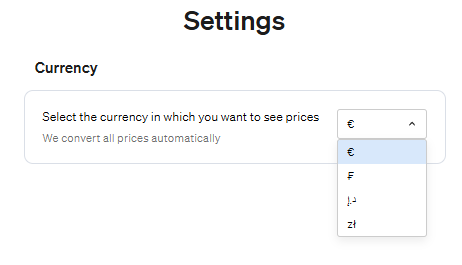
- Find the section Currency Preferences.
- Click the current currency to open the list.
- Choose your preferred currency.
- Click Save to apply changes.
🔄 What Happens Next?
- All property prices and reports will display in your chosen currency.
- Conversion uses the current exchange rate at the time of query.
- This applies only to your account, across all devices.
💡 FAQ
- Can I change it anytime? Yes, as often as needed.
- Are conversions real-time? Rates reflect values at the time of the query.
- Do old reports update? No. Existing reports retain the currency used when generated.
🆘 Need Help?
- 📧 Email: support@casafari.com
- 🛠️ In-Platform: Help Center > Contact Us