
🔐 Step 1: Log in to Your CASAFARI Account
- Go to www.casafari.com.
- Click Log in and enter your credentials.
🏠 Step 2: Open the Property Page
- Use Property Sourcing tool.
- Click on the filters to select its status and activity, if it's for rent or for sale. If it has been sold, is still active or was delisted.
👁️ Step 3: Check the Availability Status
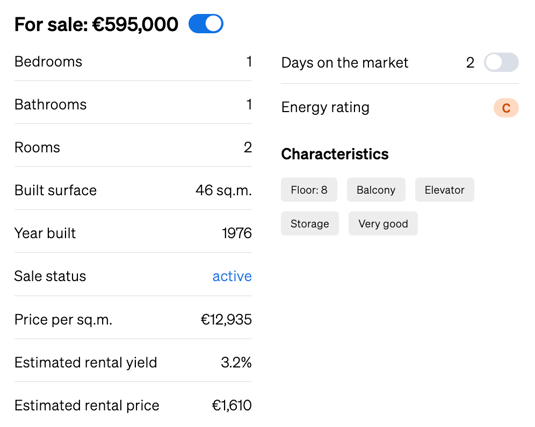
1. On the property details page, locate the details table displayed on the right-hand side of the photos.2. This section includes key information, including whether the property is:
- For Sale
- For Rent
- Delisted (no longer available)
- Sold
- Rented
💡 Tip:
If a property has been delisted, it means it was previously on the market but is no longer available on the source website. You can still explore similar properties through the suggestions shown below the listing.
📩 Need Help?
Still unsure about a property’s availability? Reach out to our support team at: support@casafari.com — we’re happy to assist you.