
🧑💼 Who Can Access These Settings?
Only admins of a CASAFARI subscription can make these changes. If you’re not sure whether you’re an admin, please check with your account manager or contact support@casafari.com.
🔧 How to Edit Your Company Profile
To change the logo, color scheme, or cover image:
- Log in to your CASAFARI account.
- Click on the “Me” menu (located at the top right corner).
- Select the tab “Edit Company Profile”.

🖼️ Add or Edit Your Company Logo
- Upload your company’s logo directly within the Edit Company Profile section.
- Supported formats: .jpg, .png (preferably with a transparent background for best appearance).
🌈 Set Your Brand Color
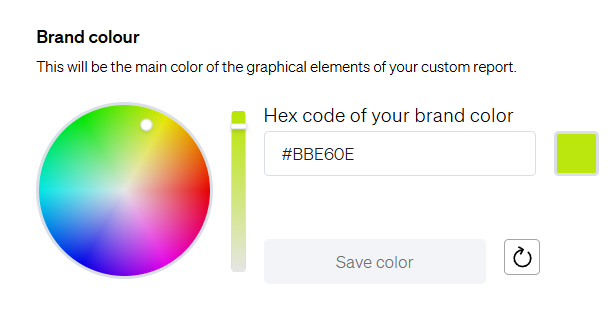
- Choose a primary color for your reports and platform interface.
- You can either:
- Select a color from the tool’s color picker, or
-
- Enter a specific HEX code (e.g., #004AAD) to ensure brand consistency.
- Enter a specific HEX code (e.g., #004AAD) to ensure brand consistency.
📄 Add a Cover to Property Valuation Reports
Enhance your client-facing documents by uploading a custom permanent cover image for your Property Valuation Reports.
- Ideal size: 1200x800px
- File types: .jpg, .png
- This image will appear on the front page of every valuation report you generate.
⚠️ Important Notice
Every change you make in this tab will reflect in all your users' accounts.
This means:
- The logo, colors, cover image, and company information will be applied platform-wide.
- All users under your subscription will see the updated branding across their CASAFARI environment.
📌 Tip: For this reason, we recommend using general contact details (such as a shared support email or phone number) in the contact fields to avoid confusion.
🆘 Need Help?
If you're unable to edit these settings or unsure of your admin rights, please contact the CASAFARI Support Team via:
- 📧 Email: support@casafari.com