
This allows you to monitor visitor behavior, measure performance, and integrate lead data into your broader digital marketing strategy.
Tracking with Google Analytics
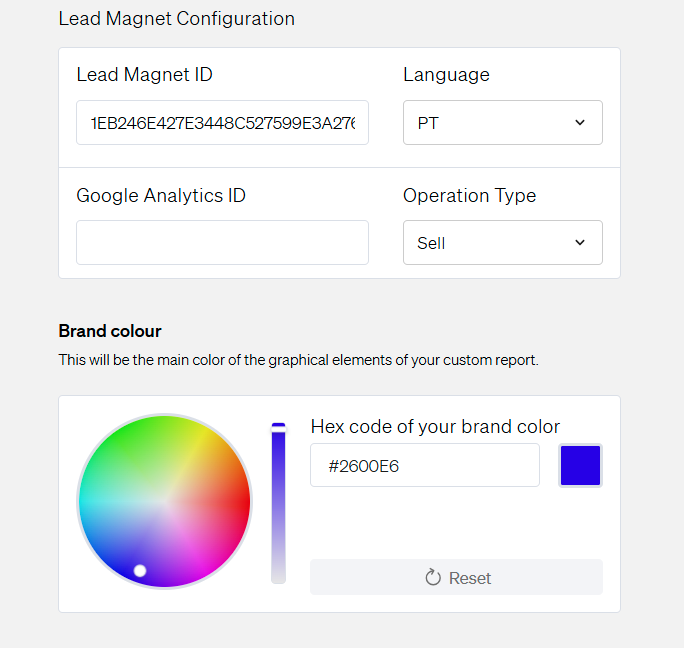
To track Lead Magnet activity through Google Analytics:
- Ensure your website has Google Analytics properly installed.
- CASAFARI provides support for UTM parameters, enabling you to track traffic sources and conversion events.
- You can set up custom events or goals in your Google Analytics dashboard to monitor key interactions, such as form submissions or clicks.
Using Google Tag Manager (GTM)
If you manage tracking through GTM:
- You can configure custom tags and triggers to track visits and interactions with your Lead Magnet.
- Set up event-based tracking to capture actions like form views, submissions, or button clicks.
- GTM offers flexible integration with your existing marketing and CRM tools for consolidated reporting.
Implementation Support
While CASAFARI does not directly manage your third-party tracking systems, we recommend the following:
- Work with your web developer or marketing team to integrate Google Analytics or GTM properly.
- If needed, CASAFARI’s support team can assist by verifying that the Lead Magnet code is correctly implemented on your site to support tracking.
By integrating Google Analytics or Tag Manager, you can gain deeper insight into your Lead Magnet’s performance and make data-driven decisions to optimize your lead generation strategy.