![login-logo.png]](https://helpcenter.casafari.com/hs-fs/hubfs/login-logo.png?height=23&name=login-logo.png)
1) Partner agencies:
When you select a partner agency in the CRM, this setting allows you to apply the partner agency filter when searching for market properties in the contact profile, ensuring that all properties displayed in the search results are associated with the selected agency.
How to share partner agency deals with potential clients via Smartlinks:
1) Configuration:
From the left-hand sidebar menu, go to Settings > General Data > Other and select the partner agency.

2) Buyer Client Profile Search and Deal Sharing
After setting up your partner agencies, you can search for properties that match the buyer clients’ profiles in your contact list.
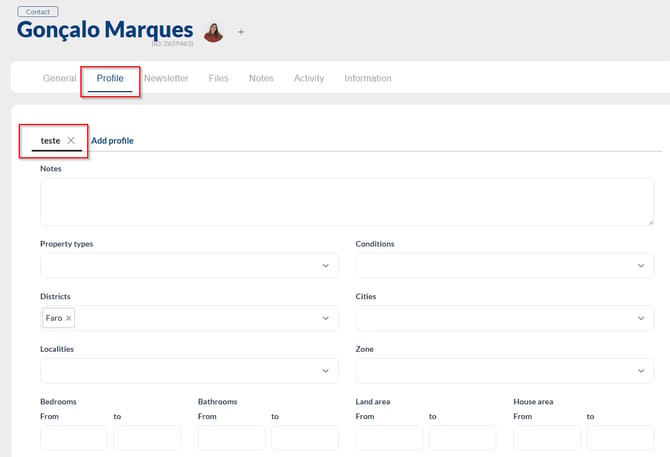
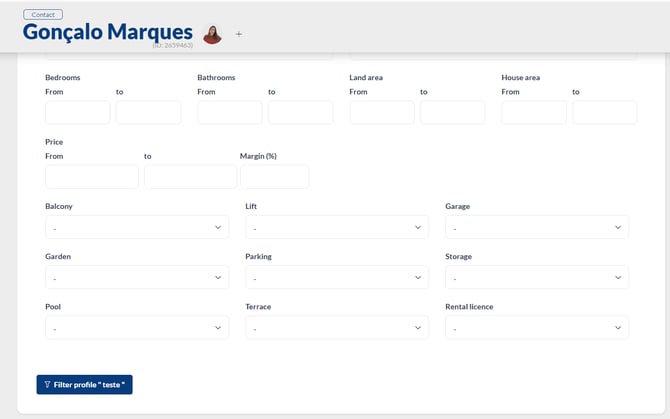
Fill in the buyer client’s profile with the characteristics of the property they are looking to purchase, then click “Filter Profile.”
-
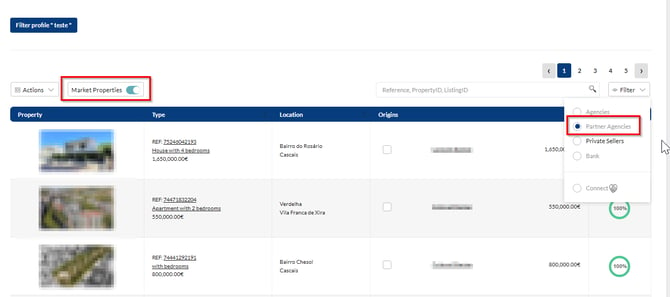
Enable the “Market Properties” setting.
-
Filter the search by Partner Agency.
-
Select the properties and share the deals with your client.
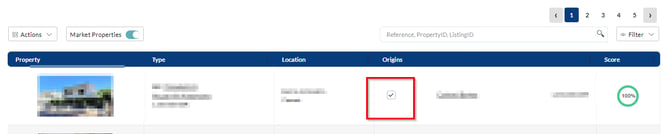
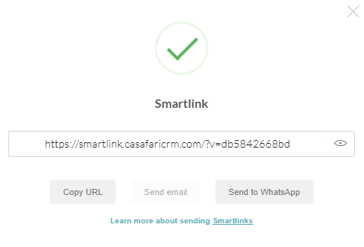
4. If you only want to select properties from your own portfolio, select the properties you want to share via Smartlink:
2) How to Share Deals Between Agencies Using Smartlinks
1. In the Contacts section, go to the Buyers List and select the buyer’s profile.
2. In the client’s profile, specify the characteristics of the property they are looking for:
3. Click Filter Profile.
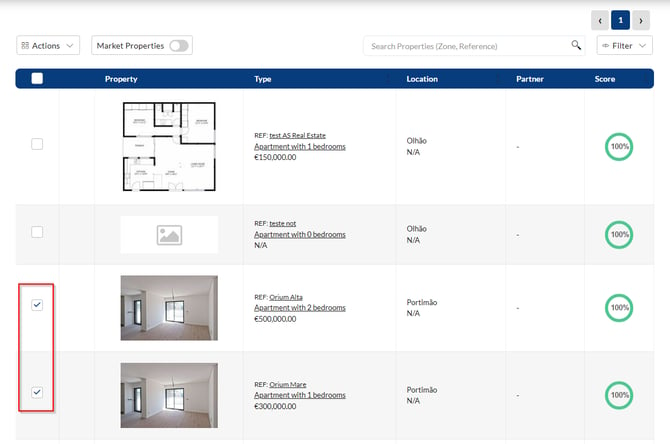
4. If you only want to select properties from your own portfolio, select the Properties you want to share on the Smartlink:
5. If you want to include market properties, select Market Properties* and choose the listing source(s) you want to include in the Smartlink:
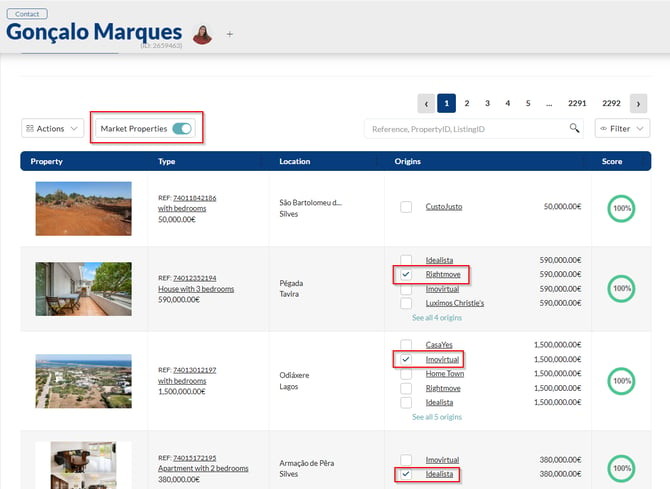
All selected properties available on the market will be displayed in a SmartView, along with the property information provided by the selected source. The SmartView will also indicate the agency or real estate portal where each property was sourced from.
6. Click on Generate Smartlink, copy the link and/or send to email*/Whatsapp:

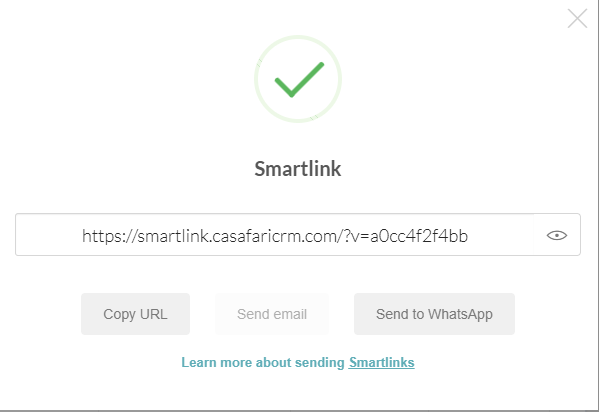
*Know more about sharing Smartlinks via email in the article of Smartmail and Smartreply.
It is important that when selecting properties available on the market you already have confirmation of which agencies will share the business.
You can also select the partner agencies that work with you on a regular basis. To indicate in the CRM which are these agencies, follow the following process:
1. In the Configuration area, go to the General Data option
2. In the tab Other, see Partner Agencies area
3. Write the name of the agency and select.
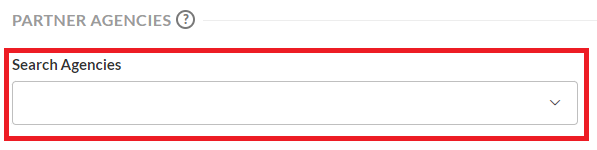
In the client profile, by clicking on "Market Properties", you will have the option to filter only by the properties of partner agencies that are available and that meet the needs of your potential client.
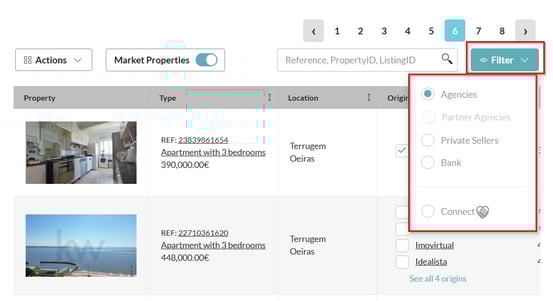
In the filters, you can select the properties available in:
-
Real Estate Agencies - Collaborate with other agencies to offer the right product to your client, according to their preferences.
-
Partner Agencies - Collaborate with agencies you regularly work with to offer the right product to your client, according to their preferences.
-
FSBO’s - See which properties are for sale by the owner and turn them into new business opportunities.
-
Bank - Consult the properties published in the bank institutions' property areas.
- Connect - Filter by shared businesses through Casafari Connect.
Notes:
*The option “Market Properties”, will only appear available for agencies that already have their CASAFARI account connected to CRM. Learn more about this here.
3) External Agencies
When a deal is shared with an external agency, you can create a contact in the CRM associated with that agency and configure the actions related to property management, lead sharing, and commission management.
1) How to Create an “External Agency” Contact
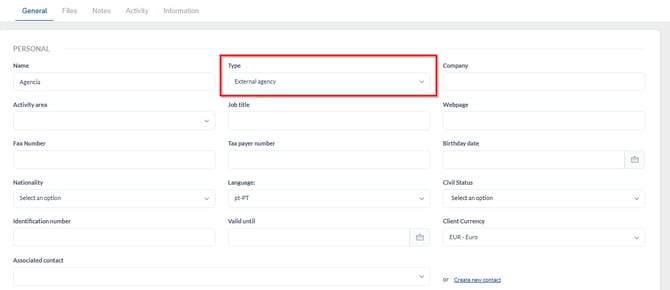
To add the details of an external agency and share the deals generated with them, you must create an External Agency contact.
To do so, go to Contacts > Add Contact, select External Agency as the contact type, and fill in the general information.
2) How to create business properties for external agencies
- Crie uma nova propriedade através de negócios de agências externas
Import a property from an external agency using a Casafari URL:
1. Click Create a new property and enter the link: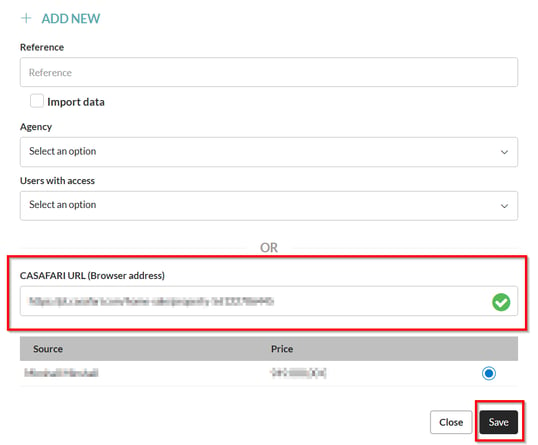
2. Save the external agency’s contact information within the Property Details:
A new contact of the type “External Agency” will be created automatically, using the external agency’s details from the property you created. You should then fill in the corresponding fields in the contact details.
-
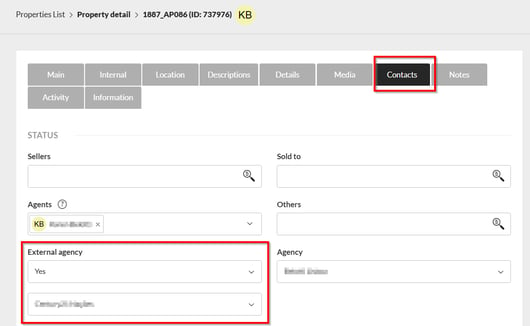
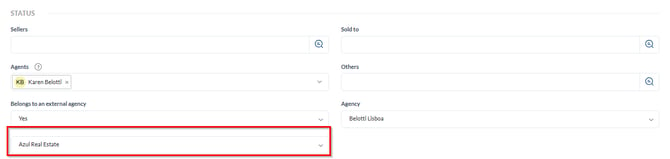
Create a new property and associate it with an external agency:
1) Create a new property from the Property List.
2) Associate the external agency:
3) How to create leads with external agencies:
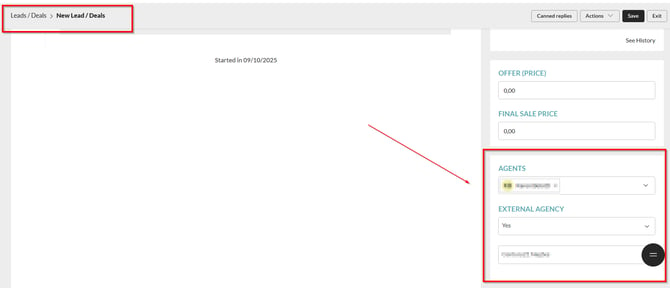
In the CRM, it is possible to share deals with external agencies. You can create a lead associated with a property from your portfolio and a client from an external agency or, alternatively, create a lead with a buyer from your contacts and a property belonging to an external agency.
To do this, when creating the lead, simply select the agency you are sharing the deal with:
4) Sharing commissions on deals with external agencies
After creating the external agency contact in the CRM, you can associate the agency with the commission of a closed deal and proceed with the commission split.
To configure this, go to the generated commission page via Commissions > Commission List and, within the commission, select the “Main” tab.
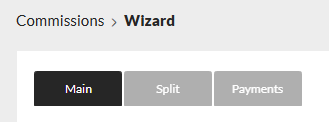
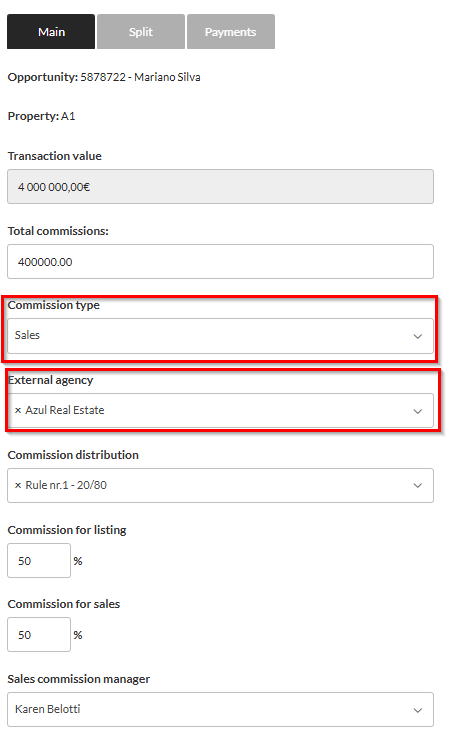
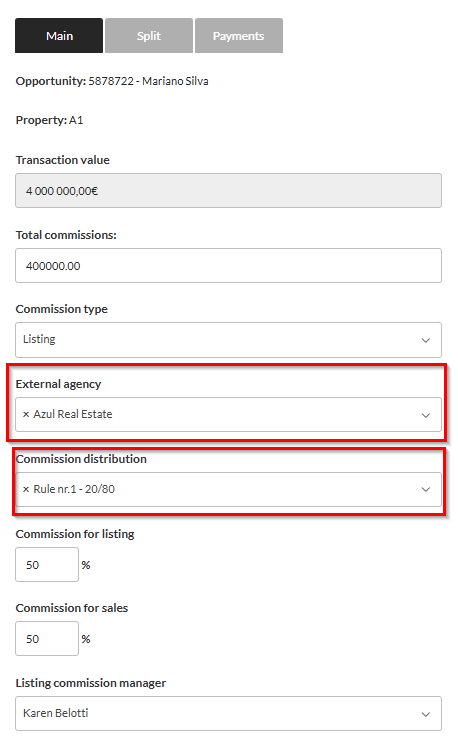
Select the deal type, Sale or Listing, choose the external agency, and then complete the commission setup.
Sale:
Listing:
Para saber mais sobre comissões e agências externas, utilize nosso artigo de comissões.
Note:
The “Market Properties” option will only be available to agencies that have already connected their CASAFARI account to the CRM. Learn more here.
This feature is available on the PLUS and PREMIUM plans.
For more information, please contact us via email: help@casafaricrm.com