![login-logo.png]](https://helpcenter.casafari.com/hs-fs/hubfs/login-logo.png?height=23&name=login-logo.png)
Check out the steps to customize your watermark and avoid misuse of images created by your agency:
1. Go to Settings - General Data - Watermark.2. Set the position, size, and opacity.
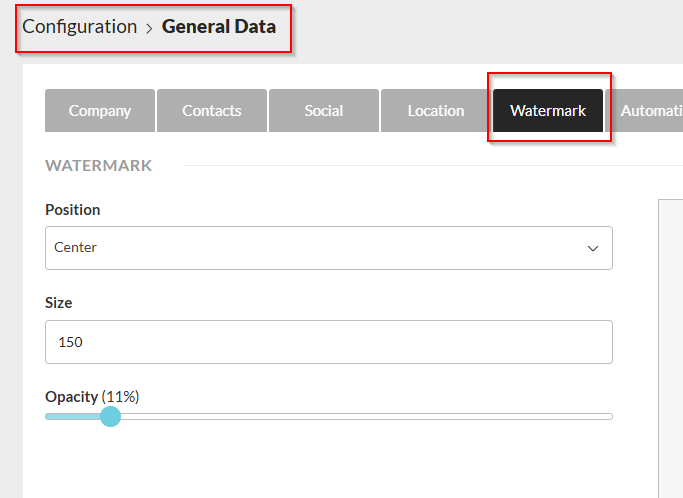
3. Choose an image and upload it.
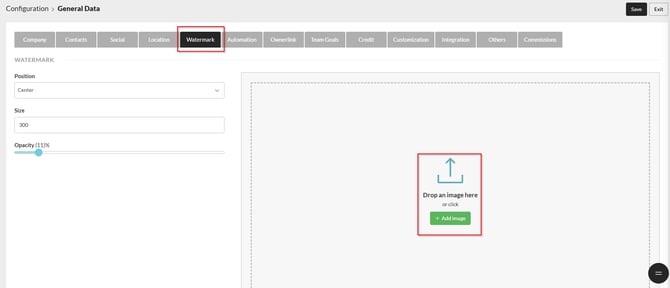
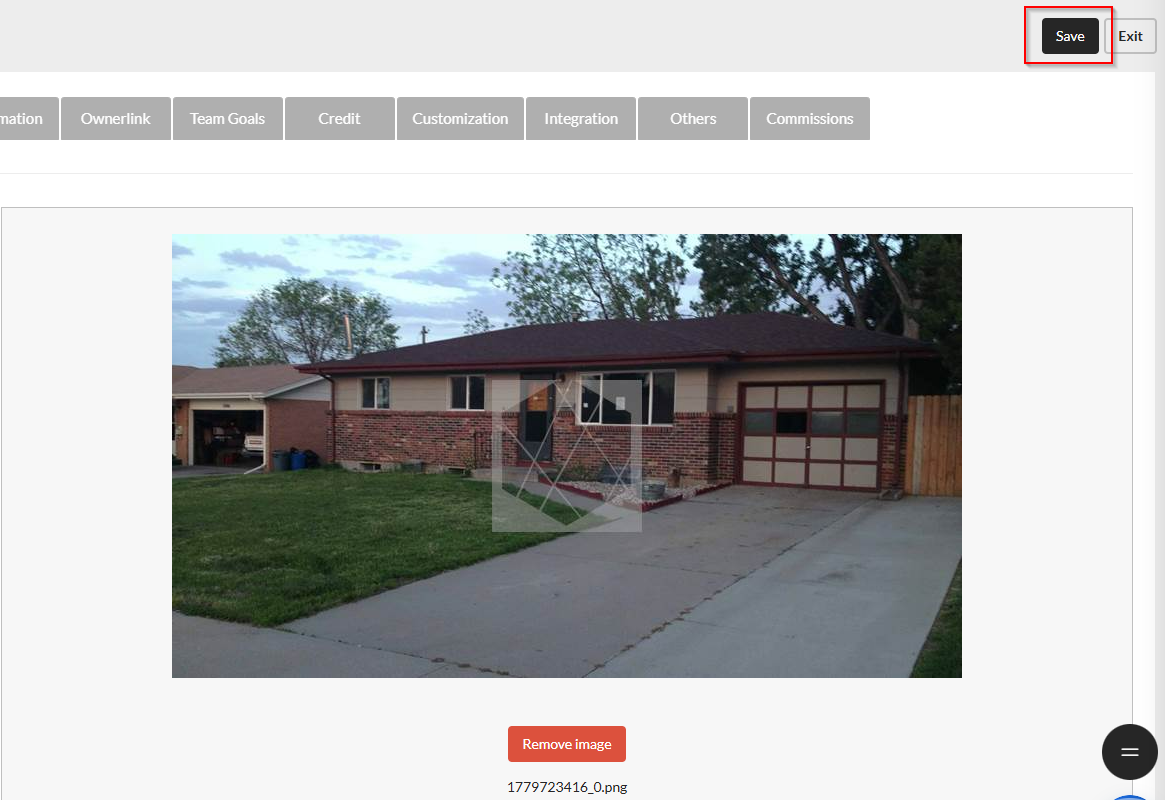
4. Click on Save.
How to export images with a watermark to portals:
To export images to the Portals with the watermark already applied, you need to enable this setting on the Portal Selection page. Simply go to Properties > Export > Property Selection and select the "Use watermark" option.

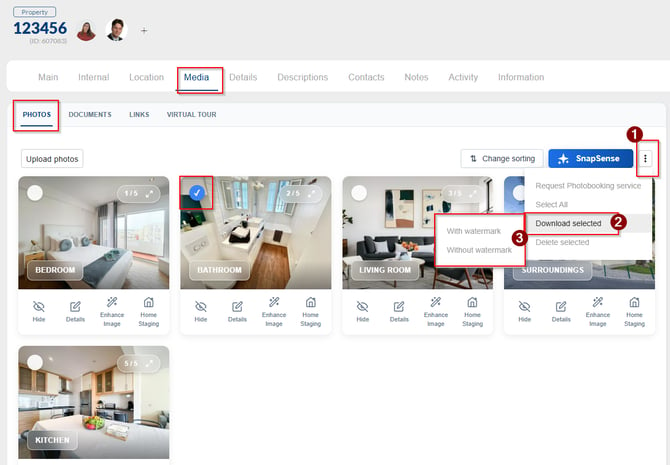
How to download photos with and without watermarks from the property details page
In the CRM, it is possible to download photos with or without watermarks. To download the images, go to Properties > List > Media, select the desired photo, and choose the download option: with or without a watermark, according to your preference.
How to add a partner agency's watermark:
Adding a partner agency's watermark is possible upon request. Contact our support team and submit the corresponding request.
This feature is available on the PLUS and PREMIUM plans.
For more information, please contact us by email: help@casafaricrm.com