![login-logo.png]](https://helpcenter.casafari.com/hs-fs/hubfs/login-logo.png?height=23&name=login-logo.png)
Learn, in this article, how to create a showcase sheet and a technical sheet in CRM:
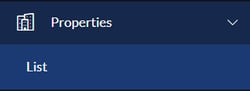
1. Go to Properties - List.
2. Select the property and access the detail.
3. Go to the 'Print' option and select the size (A3 or A4) to download the showcase sheets.
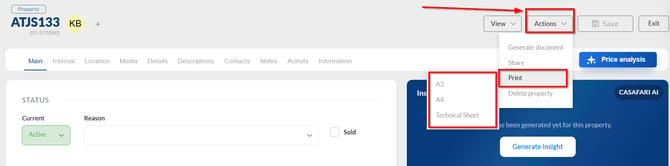
4. Download the showcase sheet.
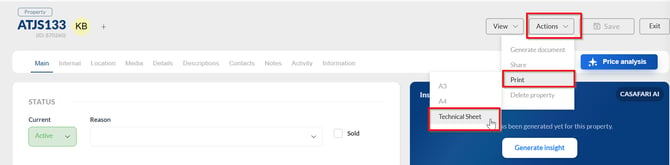
5. Select the 'Technical Sheet' option to download the property's technical sheet.
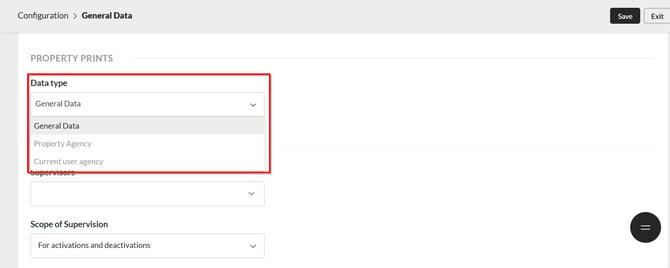
Note: If the CRM is of the multi-agency type, select which data should appear on the printed shop window sheets and the property details sheet. You can choose between the company’s general data, the agency’s data, or the agent’s data. Go to Configuration > General Data > Others.
This feature is available in the PLUS and PREMIUM plans.
For more information, send an email to: help@casafaricrm.com