![login-logo.png]](https://helpcenter.casafari.com/hs-fs/hubfs/login-logo.png?height=23&name=login-logo.png)
Want to set a new password? Check the steps on the login page or inside the CRM:
Login Page
1. Go to your CRM login page, for example: https://admin.casafaricrm.com/account/login
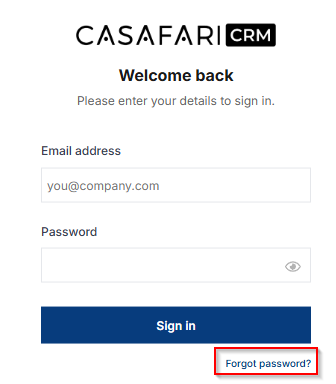
2. Click on the “Forgot Password?” option:
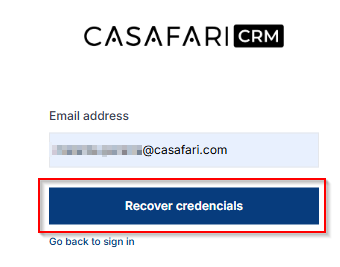
3. Enter your email and then press “Recover credencials”:
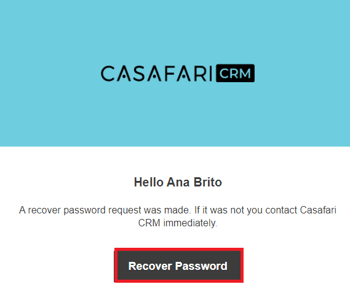
4. Go to the email and click “Recover Password”:
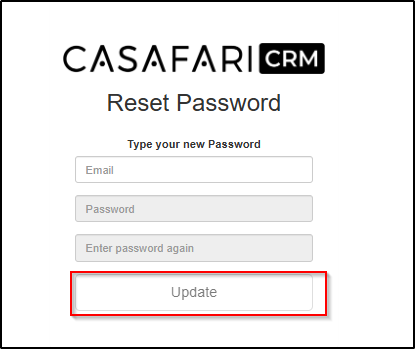
5. Type a new password and press “Update”:
Inside the CRM
In user profile:
1. In the top right corner, go to your profile and click on “Change Password”.
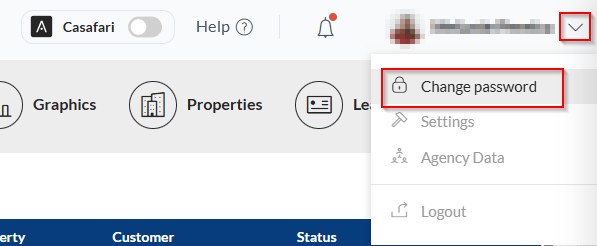
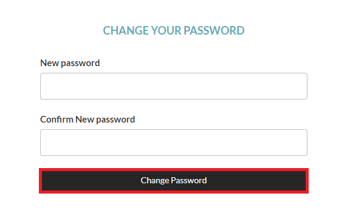
2. Write a new password and confirm in the option “Change Password”.
In users list:
1. In the Users menu, check the option "Change Password":
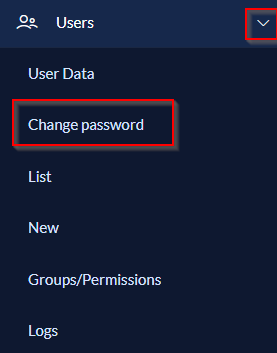
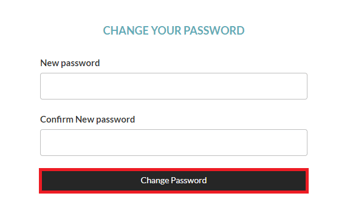
2. Type in a new password and confirm in the "Change Password" option.
For more information, please contact us by email: help@casafaricrm.com