![login-logo.png]](https://helpcenter.casafari.com/hs-fs/hubfs/login-logo.png?height=23&name=login-logo.png)
Exporting properties from your CRM to Kyero allows you to increase your properties' international visibility, reach foreign buyers, and generate new leads without extra effort. In this article, we'll show you how to set up and use the property export feature from your CRM to the Idealista portal, step by step.
Step by step:
-
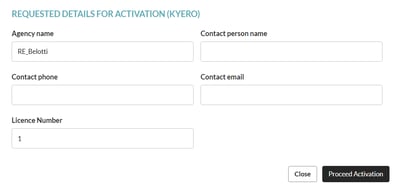
Create an account in Kyero portal. If not, you can request registration through the CRM: go to Properties - Export - Portals Catalogue - Kyero and check the option “Request registration”.


-
After filling in the requested data, click on "Activate".
-
Go to Properties - Export - Portals Catalogue and set the limit of properties to be exported, if necessary, in the Settings option.
-
Go to Properties - Export - Properties Selection and select the properties that must be exported to Kyero.

To learn how to select properties for portals and learn more about property limits, see this article: How to export my properties to real estate portals.
Observations from Kyero:
-
This portal does not accept URLs in property descriptions.
-
Kyero only accepts videos from customers with a paid subscription.
-
Properties that do not have price, district, city and property type defined will not be published in this portal.
-
The frequency with which the property feed is updated, depends on the business model you have defined with the portal.
-
If your subscription is free, the feed is updated once a week (usually on Saturday).
- With the free subscription, Kyero does not accept properties located in Spain.
-
If your subscription is paid, it is updated once a day (usually in the early hours of the morning).
Frequently Asked Questions:
"My properties are not published on Kyero"
After registering on Kyero, properties can take a few days to be published. If the account is free, the feed will only be updated once a week (usually on Saturdays).
"I am exporting properties from a different system. What do I need to do to switch to CASAFARI CRM?"
Contact your Kyero account manager and ask them to change your import system to CASAFARI CRM. The portal will confirm this change, along with your access details.
This feature is available to all CASAFARI CRM users.
For more information, please contact us by email: help@casafaricrm.com